Tax time
How to Prepare Your Books for Your Accountant: Year-End Checklist
Accountant time costs money, and much of it goes on chasing what you could have sent up front. Here's how to hand over one clean pack, wherever you file.
An accountant can only work with what you hand over. Hand over a shoebox and a bank login, and you pay for sorting. Hand over reconciled books, a one-page note and the proof behind them, and you pay for advice. This tax-prep checklist works for the self-employed in the US, UK, Pakistan and beyond.
What does your accountant need for your tax return?
Your accountant needs a complete record of business income and expenses for the tax year, the statements and receipts that prove it, your mileage log, details of equipment you bought or sold, any tax forms you received, and the tax you've already paid. A reconciled spreadsheet or CSV covers the first part.
| What to send | What it shows |
|---|---|
| Books for the tax year | Every income and expense entry with date, category, amount and account |
| Bank and card statements | The full year, for every account business money touched |
| Receipts and invoices | Proof behind big or unusual costs, plus sales invoices; here's how to organize receipts for taxes |
| Mileage log | Date, destination, purpose and distance of each business trip |
| Unpaid invoices | Who owed you what when the year closed |
| Equipment bought or sold | Item, date and price |
| Tax forms and payments | Forms you received and tax paid in advance, with dates |
GOV.UK lists the same core: records of all sales, income and business expenses, backed by receipts, bank statements and sales invoices. You keep them rather than send them with your return (GOV.UK: what records to keep). For how long, see how long to keep business records.
This is general information, not tax advice. Rules change, and your accountant has the final word on what you can claim.
How to prepare your books for your accountant in 10 steps
Work through this year-end bookkeeping checklist in order; the first six steps are explained below.
- Fill the gaps. Cash spending, missed income, bank fees.
- Reconcile every account. Books match each statement's closing balance.
- Fix categories. Empty the "Other" pile; pull out personal spending.
- Deal with unpaid invoices. Chase them, or flag the ones you'll never collect.
- Close the mileage log. Add missed trips; note the year-end odometer.
- Export the right period. Exactly your tax year, in a file anyone can open.
- Gather the proof. Statements, big receipts, sales invoices.
- Collect tax paperwork. Forms received and advance payments, with dates.
- List what changed. New equipment, platforms, accounts or address.
- Write a one-page note. Answer the usual questions before they're asked.
Step 1: Fill the gaps
Books only know what you told them, so start with what you didn't.
- Cash. Parking, tips, taxis, supplies paid in notes. Walk your calendar week by week.
- Fees. Bank charges, card fees, platform commission and interest live on statements, rarely in hand-kept books.
- Stray income. Platform payouts, cash jobs, a client who paid into your personal account.
- Yearly subscriptions. Search your email for "receipt" and "invoice".
US
Income counts even if no form arrives. The IRS says gig income must be reported even when it isn't on a Form 1099-K, 1099-NEC or W-2, and even when it's paid in cash, property, goods or virtual currency (IRS Gig Economy Tax Center).
Step 2: Reconcile every account with its statement
- Reconciliation
- Checking that your books show the same balance as a bank or card statement on the same date, and explaining every difference.
IRS Publication 583 puts it plainly: "You should reconcile your checking account each month." It confirms your balance, catches missing bank charges and finds errors on both sides (IRS Publication 583). If the habit slipped, do the year now:
- Take the closing balance from each statement on the last day of your tax year.
- Compare it with your books for the same account and date.
- Explain the gap. Usual suspects: a missing fee, an entry typed twice, a transfer recorded on one side only. If the gap divides evenly by 9, look for swapped digits: 54 typed as 45 leaves exactly 9.
- Repeat for cards and cash. Count the cash and make the books agree.
Step 3: Review categories and personal spending
Read your category totals the way a stranger would. Anything odd next to last year? Empty the "Other" pile into real categories: your accountant can't claim what nobody can identify.
Then pull out personal items: groceries on the business card are owner's drawings, not expenses. Mixed costs like a phone plan need a business share; our self-employed tax deductions checklist covers what you can claim. If this step eats an afternoon, it's time to separate business and personal finances.
Step 4: Chase, or write off, unpaid invoices
List every invoice still unpaid on the last day of the year. On cash basis, the default for UK sole traders since 6 April 2024 (GOV.UK: cash basis), an unpaid invoice isn't income yet. On traditional (accrual) accounting it already counts, and one you'll never collect may be a bad debt your accountant can write off. Chase the rest now, with our guide on how to track unpaid invoices.
Step 5: Finish the mileage log
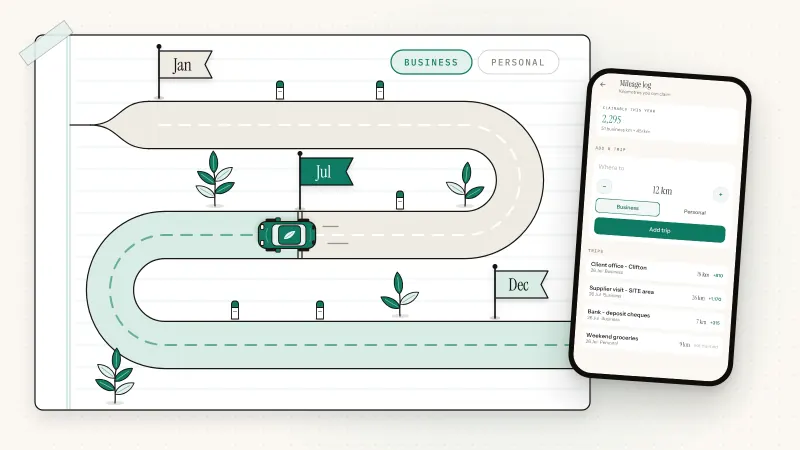
A mileage claim is only as good as its log. Add missed trips from your calendar and invoices, check each has a date, destination, purpose and distance, and note the odometer reading on the last day of the year. Rates and rules are in our guide on how to track mileage for taxes.
Step 6: Export the right period
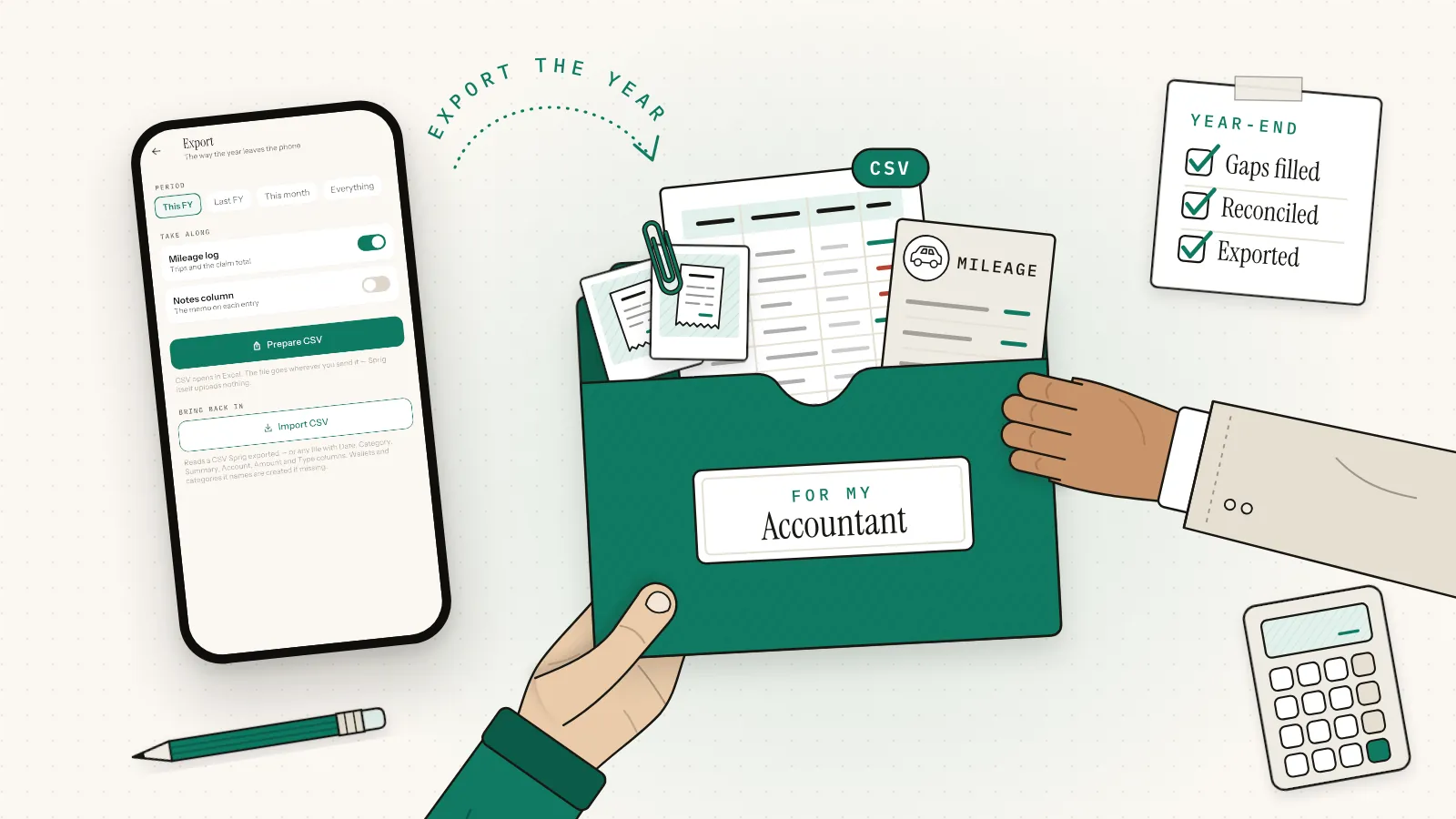
Export your bookkeeping to CSV for exactly your tax year, one file per business, so your accountant can open it without your software. Excel, Numbers and Google Sheets all read CSV.
| Where | Tax year | Latest year closed | Return due |
|---|---|---|---|
| US | 1 January to 31 December (calendar-year filers) | 2025 | 15 April 2026, or 15 October 2026 with a Form 4868 extension |
| UK | 6 April to 5 April | 2025–26 | Online by 31 January 2027; paper by 31 October 2026 |
| Pakistan | 1 July to 30 June | Tax year 2026 | 30 September by law; extended to 15 October 2026 |
| India, UAE, elsewhere | Check your tax authority or adviser | ||
US
Sole proprietors report business income or loss on Schedule C, filed with Form 1040 (IRS: About Schedule C). Form 4868 gives six more months to file, not to pay (IRS: when to file).
Pakistan
Under the Income Tax Ordinance, 2001, the tax year ends on 30 June and takes that year's name, so tax year 2026 ran from 1 July 2025 to 30 June 2026 (section 74). Section 118(3) sets 30 September for individuals' returns (FBR: Income Tax Ordinance, 2001). For tax year 2026, FBR extended it to 15 October 2026 under section 214A (APP, 30 September 2026).
Can you use a spreadsheet or CSV for Making Tax Digital?
Yes, with bridging software. Under Making Tax Digital for Income Tax, each record needs an amount, a date and a category. HMRC counts "XML, CSV importing and exporting" as a digital link between your records and the software that files. What breaks the link is retyping records or copying and pasting them.
UK
MTD for Income Tax applies from 6 April 2026 if your qualifying income for 2024–25 was over £50,000, from 6 April 2027 if it's over £30,000 for 2025–26, and from 6 April 2028 if it's over £20,000 for 2026–27. Qualifying income means self-employment and property income before expenses (GOV.UK: check if you're eligible).
Bridging software links to records kept in spreadsheets or other tools and sends your quarterly updates and return; every product on HMRC's list has passed its recognition process (GOV.UK: choose the right software). Correct errors in your original records, then link them again (HMRC: keep digital records). Before the first quarter, ask your accountant which bridging tool they use and what layout it accepts.
What questions will your accountant ask?
Expect questions about income that bypassed your main account, equipment you bought or sold, how you use your home and car, tax you've already paid, and anything that changed this year. Answer them in a one-page note sent with your books, and you skip a round of emails.
- Equipment. The IRS wants records of when and how you acquired each asset, its price and improvements, and when and for how much you sold it (IRS: what records to keep).
- Home and vehicle. Hours or floor area used for work; total and business distance; which method you used last year.
- Changes. Started or stopped trading, moved, registered for sales tax or VAT, hired help.
US
Bring every 1099-NEC, 1099-K and platform statement, and list your Form 1040-ES estimated payments with dates. Sole proprietors generally must make them if they expect to owe $1,000 or more when they file (IRS: estimated taxes).
UK
Say whether you use cash basis or traditional accounting, and list payments on account. Self Assessment tax is due by 31 January, with a second payment on account by 31 July if you make them (GOV.UK: deadlines).
Your year-end in Sprig, screen by screen
Sprig is a private, offline double-entry bookkeeping app for iPhone and Android, made by Secundum Reality. No account, no bank login, no cloud: your books stay on your phone unless you export or back them up. Every entry records both sides, like Groceries ← Main Bank, and wallet balances move only through entries, so reconciling means comparing each wallet's current balance with today's balance in your banking app, or your cash count.
- Pick the book. Export covers the active book only, so export Personal and Side business separately.
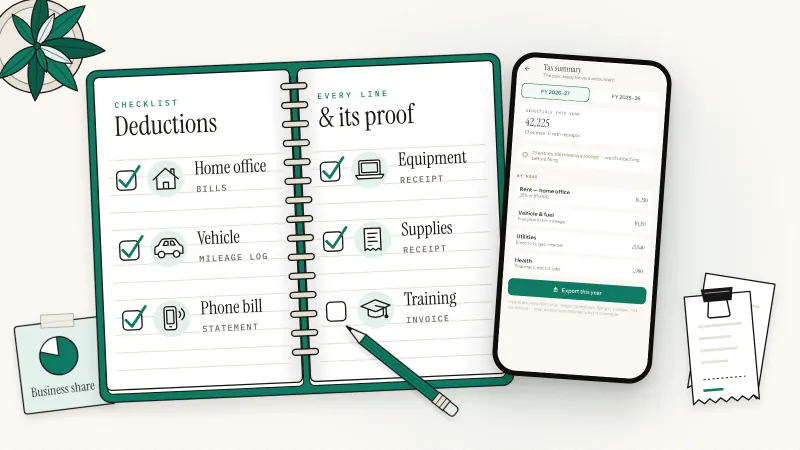
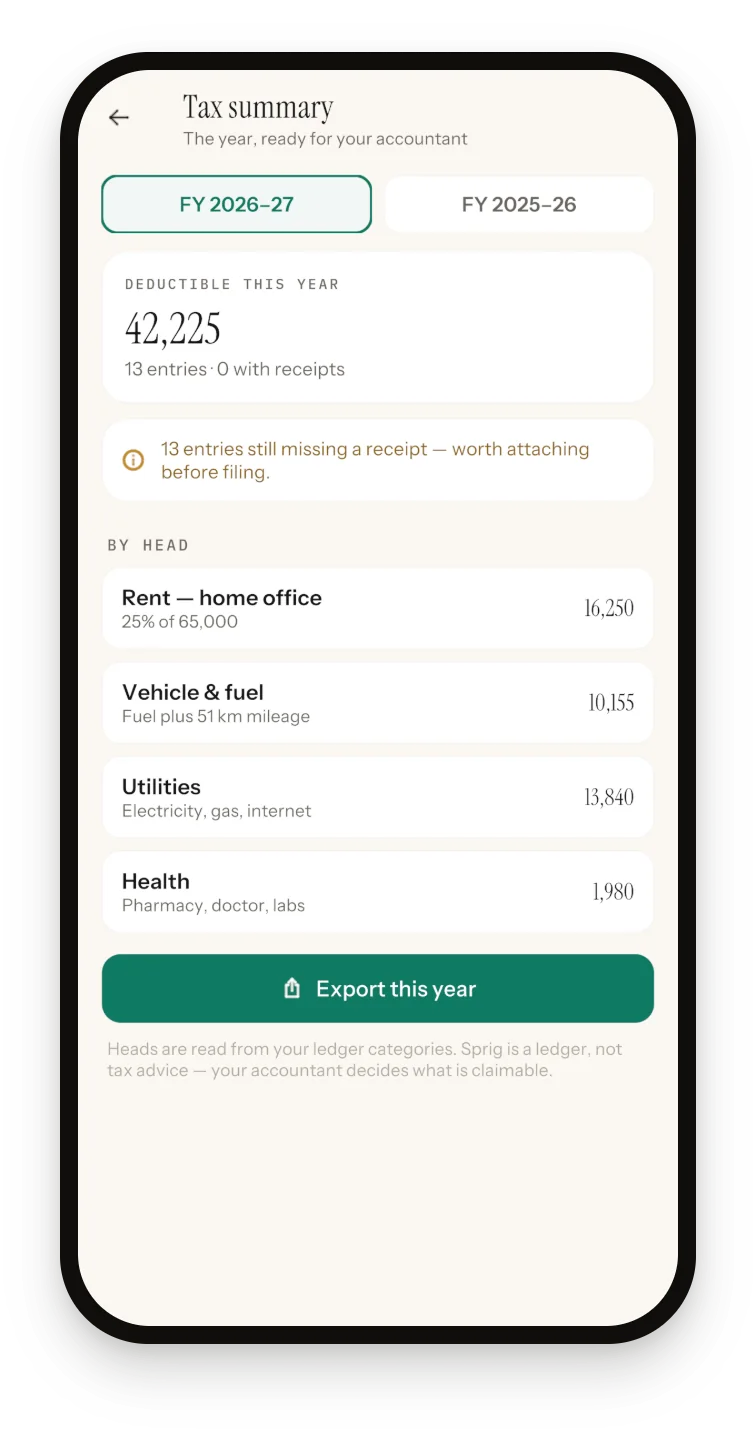
- Open the Tax summary. For this or last July–June year, it groups deductible spending by head and counts expense entries still missing a receipt.
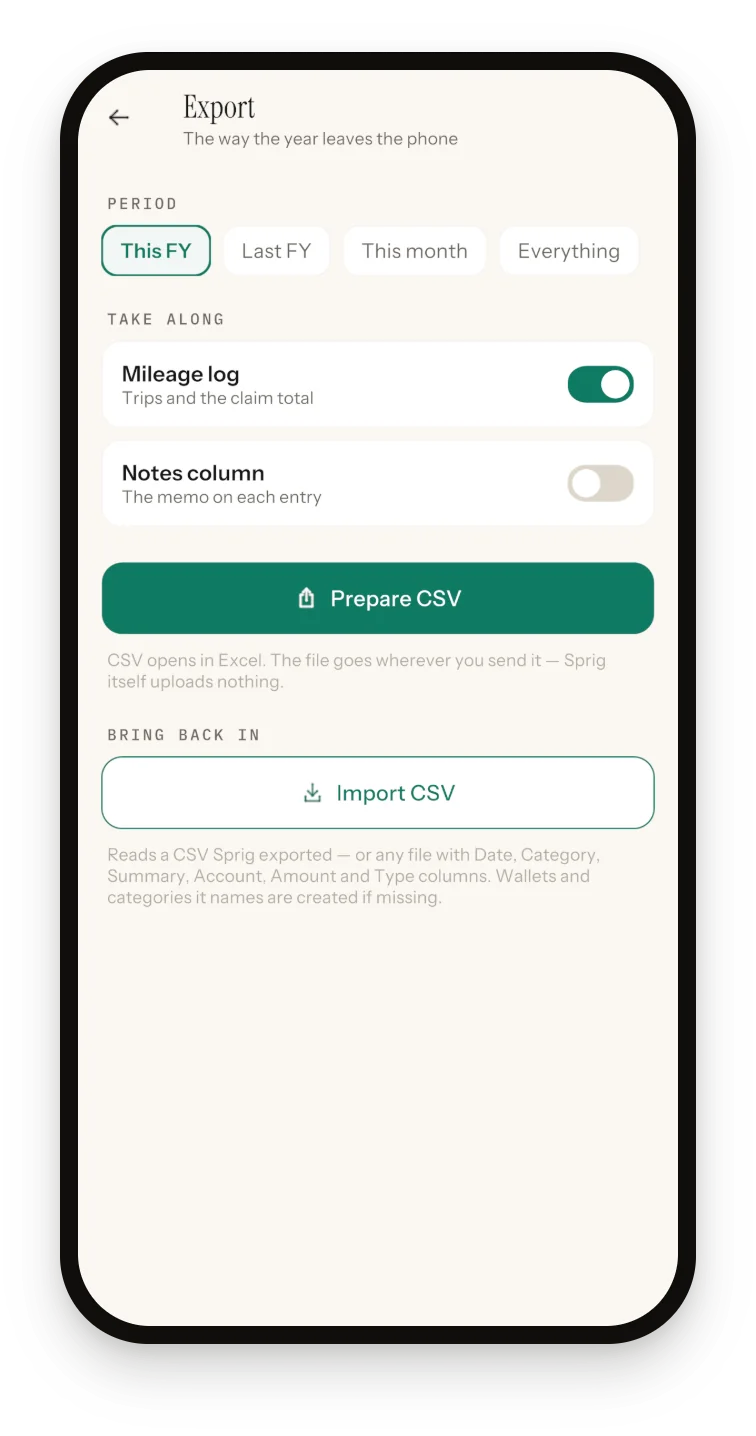
- Export. Pick This FY, Last FY, This month or Everything, leave Mileage log on, and tap Prepare CSV. The Tax summary's "Export this year" button opens on This FY, so switch to Last FY for the year just ended.
If your tax year isn't July–June
Sprig's year matches Pakistan's, so its FY 2025–26 is tax year 2026. Elsewhere, export Everything and filter the Date column; dates are written year first, so 2025-04-06 to 2026-04-05 gives the UK's 2025–26 year. Then check your totals against Reports, using a custom range with the same dates.
What's in the CSV
| Column | Example | Meaning |
|---|---|---|
| Date | 2026-03-14 | Entry date, year first |
| Category | Fuel | Where money went or came from (for a transfer, the receiving wallet) |
| Summary | Fuel top-up | What it was |
| Account | Main Bank | The wallet |
| Amount | -4850 | Minus for money out; no currency symbol |
| Type | Expense | Income, Expense or Transfer |
| Notes | Client lunch | Optional, off by default |
A Mileage log section follows: Date, Trip, Purpose, Km and Claim.
How Sprig helps
Year-end is faster when the books were kept as you went.
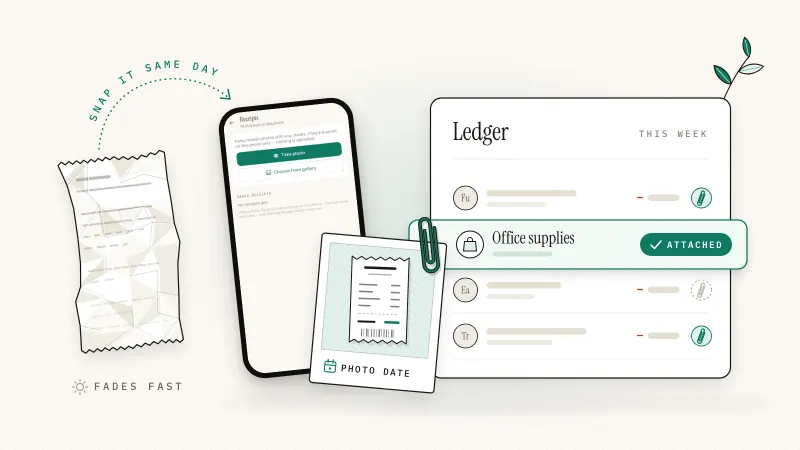
- Receipts on entries: photograph a receipt or pick one from your gallery, add type, category and amount, and Save writes an entry dated the photo's date, with the photo attached.
- Invoices that post when paid: Mark paid writes the income entry; overdue ones show in red.
- Missed entries with real dates: new entries are dated today, so add last year's stragglers through Receipts (the photo date is editable) or Import CSV, which previews rows and skips duplicates.
What Sprig won't do
- Tax advice. Heads are fixed (25% of Rent as home office, Fuel and Transport plus mileage, Utilities, Health, Education), with no taxable figure or rates. As the app says: "Sprig is a ledger, not tax advice — your accountant decides what is claimable."
- PDFs or receipt photos in the export. It's CSV only; share key receipts from the Receipts screen. A photo joins an entry only when you create the entry from Receipts.
- Miles or your rate. Kilometers only, at a fixed 45 per km built around the Pakistani rupee. In the US or UK, ignore Claim, convert Km to miles (× 0.621371) and apply your official rate.
- MTD filing. Sprig isn't HMRC-recognized software; ask whether your accountant's bridging tool takes the CSV.
- Currency conversion. Totals add plain numbers, so keep each book in one currency.
Every feature is in the free version: 50 entries, plus 20 more for each optional ad. See the whole offline bookkeeping app.
Sprig for iPhone and Android
Keep your books in four taps.
Private, offline double-entry bookkeeping. No account, no bank login, no cloud. Free to start with 50 entries.
Frequently asked questions
Can I send my accountant a CSV instead of giving them access to my software?
Usually, yes. A CSV with date, category, description, account, amount and type opens in any spreadsheet and imports into many accounting tools, so your accountant needs no login to your app or your bank. Ask which columns and date format they prefer, and send statements and key receipts with it.
How do I reconcile my books before year-end?
Compare each bank and card statement's closing balance on the last day of your tax year with your books' balance for the same account and date. Explain every difference: a missing fee, a duplicate, a one-sided transfer or swapped digits. Count your cash too. Reconciling monthly makes year-end quick.
My bookkeeping app's year doesn't match my tax year. What do I do?
Export all your entries, then filter the date column to your tax year: 1 January to 31 December for most US filers, 6 April to 5 April in the UK. Check the filtered totals against a custom-range report in your app. In Sprig, export Everything, because its own year runs July to June.
How early should I send my records to my accountant?
As soon as the year closes and your accounts are reconciled, ideally a month or more before the deadline, or earlier if your accountant sets a cut-off. Official dates: UK online returns for 2025–26 by 31 January 2027; US returns normally by 15 April; Pakistan individuals by 30 September, moved to 15 October 2026 for tax year 2026.
Is Sprig's tax summary enough to file my taxes?
No, and it doesn't claim to be. Sprig's Tax summary groups deductible spending under fixed heads for a July–June year and counts expense entries missing a receipt. It shows no taxable income, tax rates or country rules. Use it to check your books are complete, then send the CSV export to your accountant, who decides what's claimable.
Sources and further reading
- GOV.UK: Making Tax Digital for Income Tax, keep digital records
- GOV.UK: Check if you're eligible for Making Tax Digital for Income Tax
- GOV.UK: Choose the right software for Making Tax Digital for Income Tax
- GOV.UK: Business records if you're self-employed, what records to keep
- GOV.UK: Cash basis
- GOV.UK: Self Assessment tax returns, deadlines
- IRS Publication 583: Starting a Business and Keeping Records
- IRS: About Schedule C (Form 1040), Profit or Loss from Business
- IRS: When to file
- IRS: Estimated taxes
- FBR: Income Tax Ordinance, 2001 (amended up to 30 June 2026), sections 74, 118 and 214A
- APP: FBR extends income tax return filing deadline to Oct 15 (30 September 2026)
Published 3 October 2026. Feature details were checked against Sprig 1.1 for iPhone and Android. This article is general information, not tax or legal advice; rules differ by country, so confirm anything you file with your accountant or tax authority.