Tax time
How to Organize Receipts for Taxes: Photos Count, Shoeboxes Don't
A receipt only helps if you can find it, read it and match it to a payment. Here's what tax authorities accept, what to do about lost ones, and a system with no folders.
Do you need to keep receipts for taxes?
Yes, for anything you claim. A receipt is the proof behind a deduction: it shows who you paid, when, how much and for what. In the US and the UK you usually don't send receipts with your return, but you must be able to show them if asked, and a claim you can't back up may be disallowed.
Proof is broader than the paper slip. The IRS says a document for an expense should identify the payee, the amount, proof of payment, the date, and a description showing it was for business (IRS: What kind of records should I keep). GOV.UK's list of proof for sole traders includes receipts for goods and stock, bank statements and sales invoices (GOV.UK: what records to keep).
- Documentary evidence
- The IRS term for receipts, canceled checks and bills that back up an expense.
- Exact replica
- HMRC's standard for a copy that can replace the paper: full, complete, legible, and including anything useful on the back.
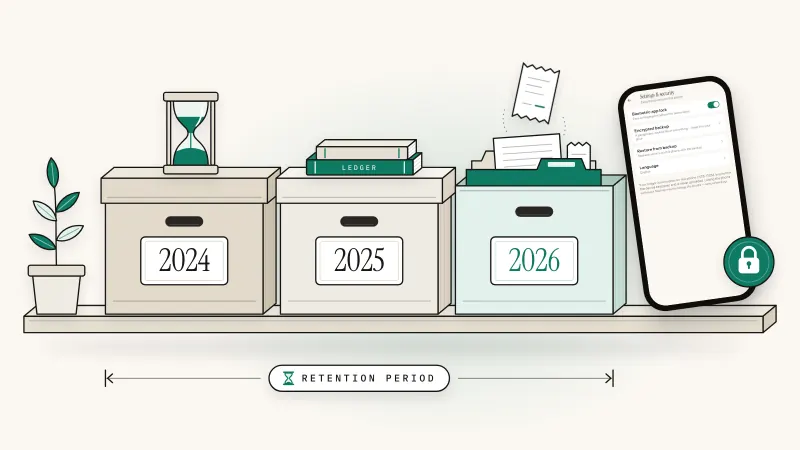
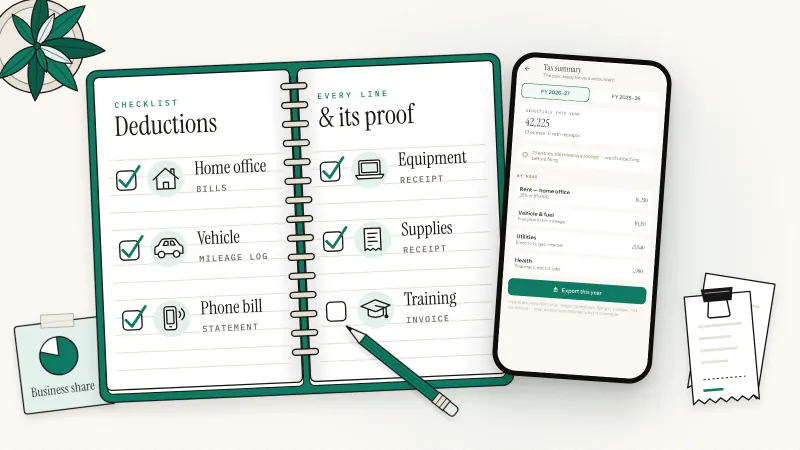
How long to keep them is a separate question. In short, usually three years in the US and at least five years after the 31 January filing deadline in the UK; the details and exceptions are in how long to keep business records and receipts. Which costs deserve a receipt at all is covered in our self-employed tax deductions checklist.
Pakistan
Section 174(2) of the Income Tax Ordinance, 2001 lets the Commissioner disallow or reduce a deduction if you can't provide a receipt or other evidence and have no reasonable cause (FBR: Income Tax Ordinance, 2001, amended up to 30 June 2026). It doesn't say whether a photo alone is enough, so check FBR guidance or your tax adviser before you throw paper away.
What's the best way to organize receipts for taxes?
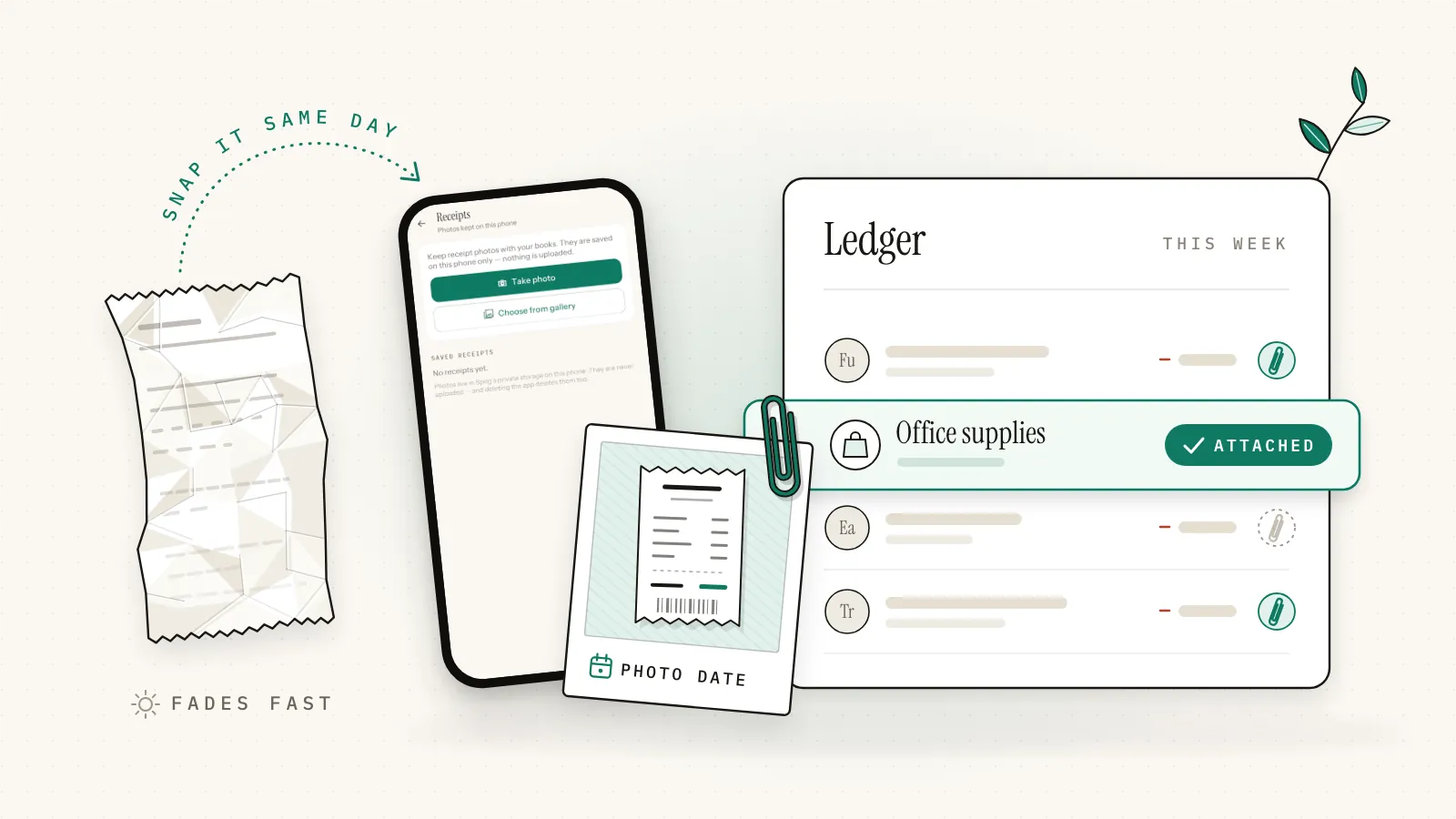
Attach each receipt to the bookkeeping entry it proves, on the day you pay. Then there's nothing to sort at year-end, every deduction has its proof one tap away, and any entry without a receipt stands out before your accountant or the tax office finds it. Call it attach, don't file.
Shoeboxes, monthly envelopes and category folders share one weakness: the receipt and the payment record live apart, so you match them later, in a hurry. The IRS rules for digital records (Rev. Proc. 97-22, below) ask for exactly that match, a cross-reference between your books and the source documents. Attaching the photo to the entry builds it as you go.
| System | How it works | Finding one receipt | Spotting a missing one |
|---|---|---|---|
| Shoebox | Everything in one box or drawer | Dig through the year | Close to impossible |
| Folders | By month or category, paper or digital | Open the folder, then search it | Only by matching statements |
| Attach to the entry | The photo sits on the entry it proves | Open the entry | Entries without a photo can be counted |
- Capture on the day. Photograph the receipt before you leave the store, cab or café.
- Attach it to the entry. Record the payment and the photo together, under the right category.
- Write the why. One line: client, project or trip. Memory fades faster than thermal paper.
- Sweep once a month. Check your card and bank statements against your entries. Every business entry needs a receipt or a note saying why not.
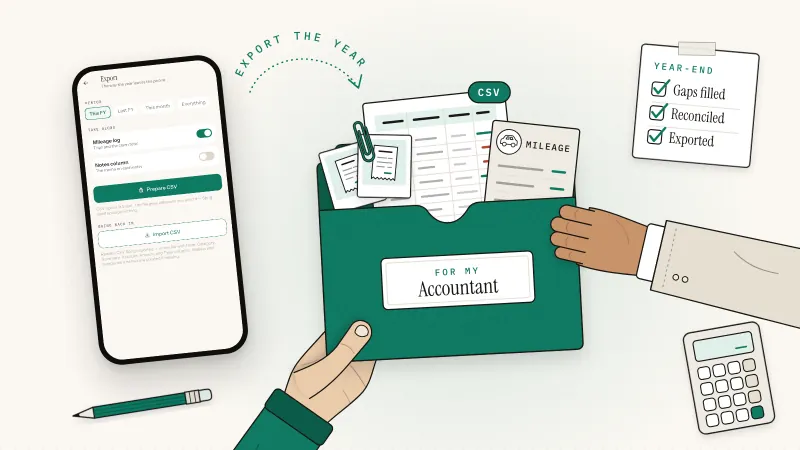
- Close the year. Export your books, copy the photos off the phone, and hand both over. Our guide to preparing your books for your accountant has the full checklist.
Driving for work? Parking and toll receipts go with the trip, and the trip belongs in a mileage log; see how to track mileage for taxes.
Are photos of receipts OK for taxes?
In the US and the UK, a clear and complete photo of a receipt can replace the paper, as long as your system keeps images legible, findable and safe from loss. The IRS sets this out in Rev. Proc. 97-22, and HMRC's own manual accepts exact replicas. Elsewhere, check local rules first.
US: Rev. Proc. 97-22
Under Revenue Procedure 97-22, records kept in an electronic storage system that meets its requirements "will constitute records" under section 6001 of the tax code, including images of paper documents (Rev. Proc. 97-22, IRB 1997-13). In plain words, each record must be:
- Complete and legible: the whole document, readable on screen and on paper.
- Indexed: easy to find, and cross-referenced from your books.
- Protected: controls stop records being altered, deleted or degraded, with periodic checks.
- Printable: you can reproduce a readable hard copy.
You may destroy the paper once you've tested that the system reproduces records properly and have procedures to keep it that way. The procedure also lists backup copies and off-site storage among its recommended practices. For a freelancer, that means sharp photos, each tied to a ledger entry, plus a copy somewhere other than the phone. For big purchases such as equipment, keeping the paper too costs one envelope.
UK: exact replicas are fine
HMRC's Compliance Handbook, the manual its staff work from, says you may discard paper once the information is stored in a way that captures everything needed for a correct and complete return and reproduces it legibly (CH13100). Images must be full and complete copies, including anything useful on the back (CH13400). A few documents must stay in original form, such as statements of tax deducted from a payment (CH13300).
| Question | US (IRS) | UK (HMRC) |
|---|---|---|
| Do images count as records? | Yes, in a system that meets Rev. Proc. 97-22 | Yes, if they are exact replicas |
| Can I throw the paper away? | After testing your system and putting procedures in place | Yes, if the copy holds everything needed and reads clearly |
| What must the image show? | The whole document, legible on screen and on paper | The whole document, plus anything useful on the back |
Elsewhere
Rules on digital copies differ in India, the UAE and other countries, and some documents may need to stay on paper. Check your tax authority's guidance or ask your adviser.
This is general information, not tax advice. Rules change, so check with your tax authority or an accountant.
What should a good receipt photo show?
A good receipt photo shows the seller's name, the date, the total paid and what you bought, all sharp enough to read without guessing. Shoot the whole slip flat, in good light, with no glare. Then add one line on the business purpose, because the receipt shows what you bought, not why.
IRS Publication 463 (2025), which covers travel, gift and car expenses, says documentary evidence is ordinarily adequate if it shows the amount, date, place and essential character of the expense (IRS Publication 463). That makes a good checklist for any receipt:
- Seller: name and, ideally, address.
- Date: the day you paid.
- Amount: the total, plus any sales tax or VAT line.
- What you bought: the item lines, or your own note if the slip just says "Goods".
- How you paid: the last four card digits help you match a statement.
Thermal paper receipts fade, sometimes within months, so photograph them the same day. Lay the slip flat, fill the frame, avoid flash glare, and check the photo before you throw anything away. Email receipts and PDF invoices are already digital, so keep them as they are.
What if you lose a receipt?
First try to replace it: ask the seller for a copy, or download the invoice from your online account. If that fails, build the best evidence you can, such as the card statement line plus a written note of who, what, when and why. Rules on estimated amounts differ by country, so check the notes below.
US
For the travel, gift and car expenses it covers, Publication 463 lets you fill gaps in your records with your own specific written or oral statement plus other supporting evidence. For the cost, date or place, that evidence must be direct, such as a witness statement, or documentary, such as a paid bill. You can't deduct amounts you approximate or estimate. Records lost to fire, flood or another cause beyond your control can be reconstructed.
US: small expenses
For those same expenses, you don't need a receipt for an expense under $75 unless it's lodging, or for transportation when a receipt isn't readily available. You still need the record: amount, date, place and purpose. It's not a pass for supplies or software.
UK
If your records are lost, stolen or destroyed and you can't replace them, GOV.UK says to do your best to provide figures, and to tell HMRC when you file if you're using estimated or provisional figures (GOV.UK: business records if you're self-employed).
A faded receipt is a lost receipt in slow motion. Photograph what's left, pair it with the statement line, and add a note.
Receipt scanner app or private receipt organizer?
Choose a cloud receipt scanner if you handle a high volume of receipts or need them on several devices, since it reads each photo for you. Choose a private, on-device receipt organizer app if you'd rather keep receipts off third-party servers and don't mind typing one amount per receipt.
| Cloud receipt scanner | On-device receipt organizer | |
|---|---|---|
| Getting the amount in | The app reads the photo; you check it | You type the amount |
| Where photos live | Uploaded to the provider's servers | On your phone, until you share or export them |
| Account | Usually required | Often none |
| Other devices | Yes, through your account | No; backups are your job |
| Best for | High volume, teams, expense claims | Privacy, cash spending, a manageable pile |
How to organize receipts in Sprig
Sprig is a private, offline double-entry bookkeeping app for iPhone and Android, made by Secundum Reality. Its Receipts screen saves the photo and the ledger entry together, and both stay on your phone.
- Pick the wallet. On Today, tap the wallet you paid from; receipt entries land there.
- Add the photo. In More, open Receipts and tap Take photo or Choose from gallery. The image is copied into Sprig's private storage, not uploaded.
- Check the date. Sprig reads the photo's capture date; change it for an older receipt, up to two years back. Typed entries always take the day you save them, so this lets an older purchase land on its real date.
- File it under. Choose Expense or Income and a category, then type the amount.
- Save. Sprig writes an entry dated the receipt, with the photo attached. Without a category and amount, the photo is kept on its own.
- Add the why. Receipt entries start without a summary. In the Ledger, swipe right on the entry and type the purpose, such as "Client lunch, Q3 project".
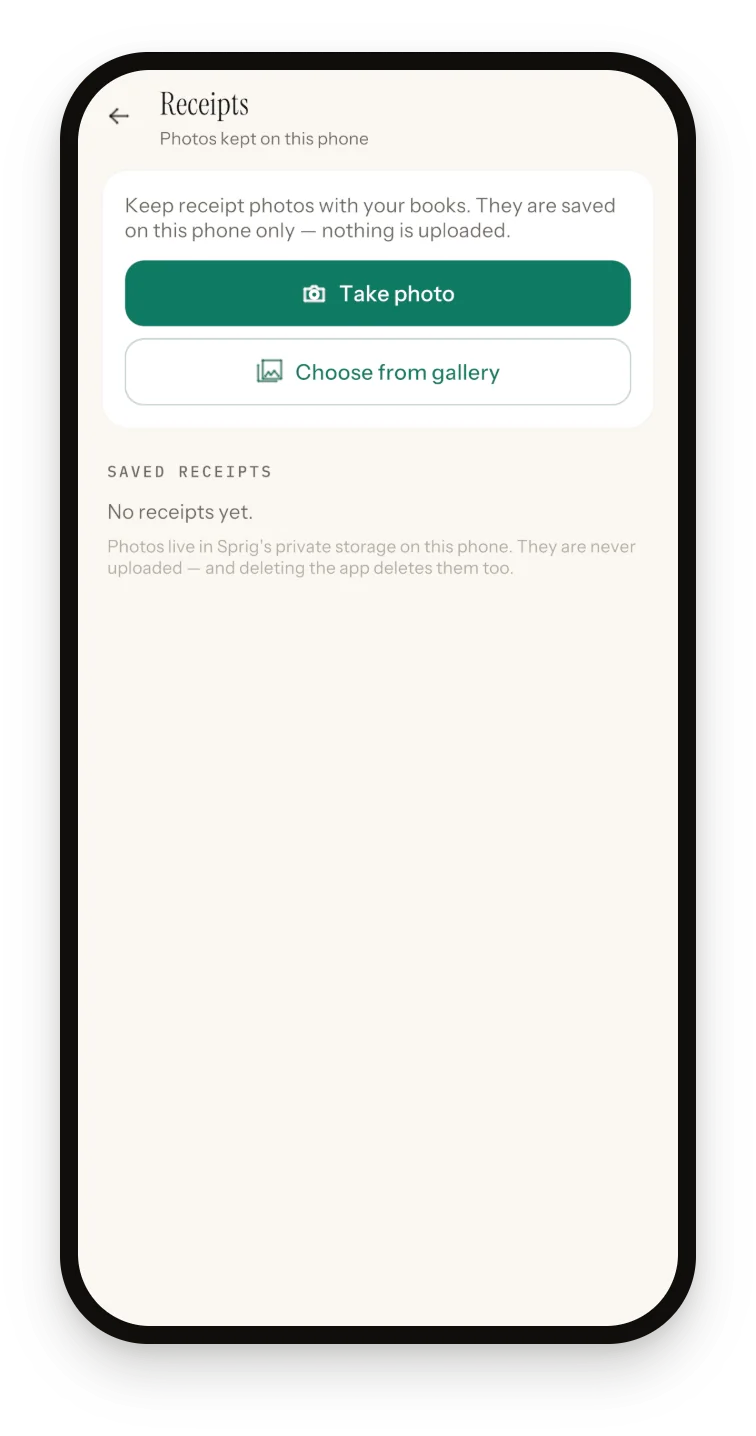
How Sprig helps
Your receipts and your books in one place, on your phone.
- Private by design. No account, no sign-in, no server, no bank login.
- View, share or delete any saved receipt.
- Two books, Personal and Side business, so business receipts stay with business entries.
- CSV export of the year's entries for Excel or your accountant.
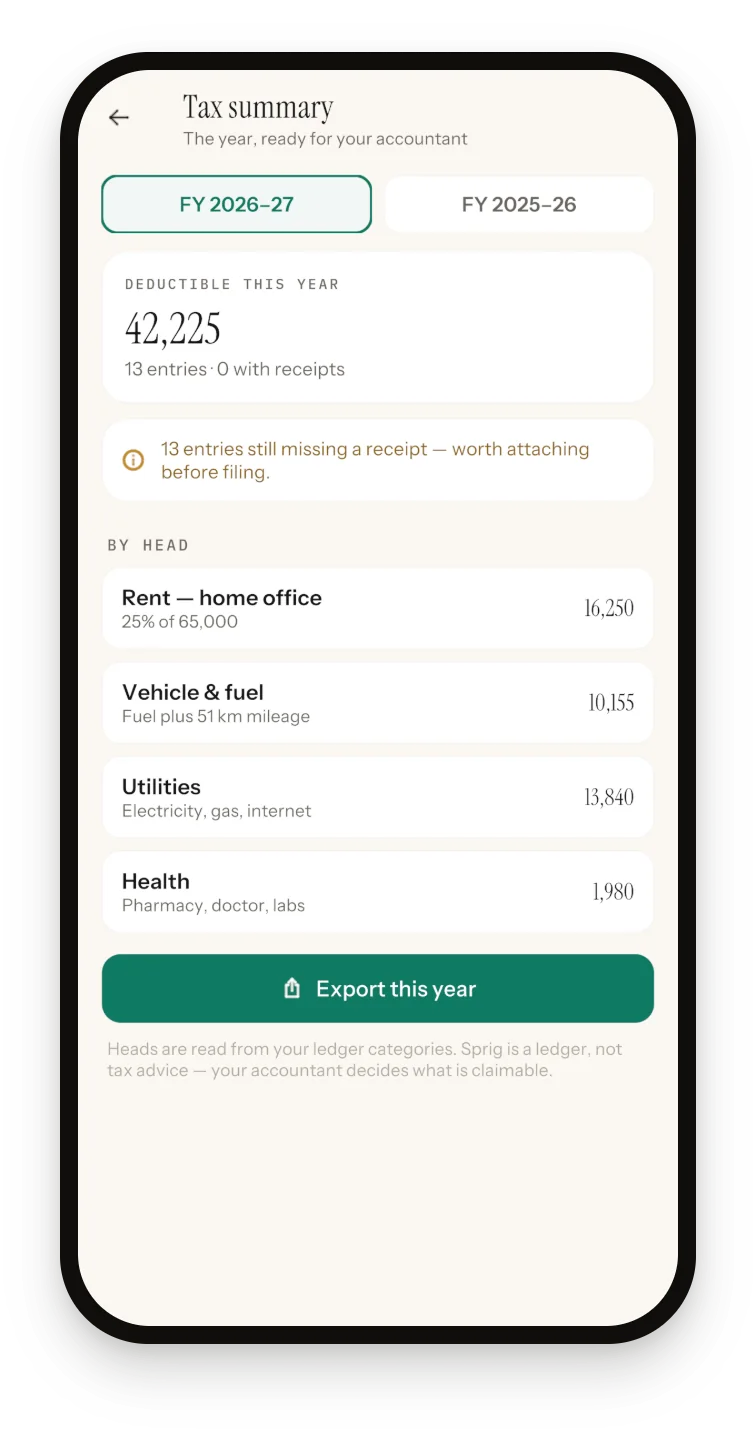
The count covers every expense entry in the active book for that financial year, groceries included, so keep business spending in the Side business book (here's why separating business and personal finances matters).
The honest limits. There's no scanning: you type the amount, so nothing gets misread. A photo can attach only to the entry it creates, not to one you already typed, so start from Receipts when there's paper; to fix a flagged gap, swipe left to delete the typed entry (the balance moves back) and log it again from the photo. The tax summary uses a fixed July to June year (Pakistan's tax year) and Sprig's own heads, and as the app says, it's a ledger, not tax advice. Receipt photos aren't in the encrypted backup or the CSV, so share the important ones to a backed-up folder at year-end.
US and UK
If your tax year isn't July to June (the calendar year for most US filers, 6 April to 5 April in the UK), total your year with Reports and a custom date range, and export Everything for your accountant.
Sprig is free for 50 entries, plus 20 more per optional ad (up to four a day), with every feature included; yearly Premium removes the limit and the ads. See what else the offline bookkeeping app does, from mileage to invoices.
Sprig for iPhone and Android
Keep your books in four taps.
Private, offline double-entry bookkeeping. No account, no bank login, no cloud. Free to start with 50 entries.
Frequently asked questions
Does the IRS accept photos of receipts?
Yes. Under Rev. Proc. 97-22, records kept in an electronic storage system that meets its requirements count as records, including images of paper receipts. The images must be complete and legible, easy to find, printable, and protected against loss or changes. Tie each photo to its entry in your books and keep a backup off your phone.
Can I throw away the paper receipt after photographing it?
In the US, Rev. Proc. 97-22 allows it once you've tested that your system reproduces records properly and have procedures to keep it that way. In the UK, HMRC's manual allows it if the copy holds all the information, including anything on the back, and reproduces it legibly. Elsewhere, check local rules first.
Can I still claim an expense without a receipt?
Sometimes, with other good evidence. In the US, for travel, gift and car expenses, Publication 463 accepts your own specific statement plus other evidence, such as a paid bill, but not a guessed amount. In the UK, do your best to provide figures and tell HMRC they're estimates. In Pakistan, section 174 lets the Commissioner disallow or reduce a deduction if you can't show a receipt or other evidence and have no reasonable cause.
Do I need receipts for small expenses?
In the US, for the travel, gift and car expenses in IRS Publication 463, you don't need a receipt for an expense under $75 unless it's lodging, or for transportation when a receipt isn't readily available. You still record the amount, date, place and purpose. For other costs and countries, keep the receipt whatever the amount.
How should I store receipt photos so they're safe?
Keep two copies in different places: one on your phone, tied to the entry it proves, and one in a folder you back up, such as a cloud drive or a computer. Rev. Proc. 97-22 itself lists backup copies and off-site storage as good practice. Check each photo is readable before you discard the paper. In Sprig, receipt photos aren't inside the backup file, so share important ones to a backed-up folder every year.
Sources and further reading
- IRS: Rev. Proc. 97-22, electronic storage of books and records (IRB 1997-13)
- IRS Publication 463 (2025): Travel, Gift, and Car Expenses
- IRS: What kind of records should I keep
- HMRC Compliance Handbook CH13400: how records may be preserved, computer records
- HMRC Compliance Handbook CH13100: how records may be preserved, general
- GOV.UK: Business records if you're self-employed, what records to keep
- GOV.UK: Business records if you're self-employed (lost records)
- FBR: Income Tax Ordinance, 2001 (amended up to 30 June 2026), sections 74 and 174
Published 3 October 2026. Feature details were checked against Sprig 1.1 for iPhone and Android. This article is general information, not tax or legal advice; rules differ by country, so confirm anything you file with your accountant or tax authority.