Pakistan tax
How to File Your Income Tax Return in Pakistan (Tax Year 2026)
How to file your income tax return in Pakistan on IRIS: who must file, what to gather, each step to the wealth statement, and the 15 October 2026 deadline.
Sprig is a private, offline expense tracker that keeps proper double-entry books while you just tap an amount. Snap receipts, log your mileage, and hand your accountant one CSV at tax time.
Free to start. No account, no bank login, no cloud.
The short version
Sprig is a private, offline bookkeeping app and expense tracker. It is made by Secundum Reality and runs on iPhone, iPad and Android. You tap an amount; Sprig keeps real double-entry books, and your invoices, mileage log, budgets and tax summary all come from the same entries.
Versus the spreadsheet
Everyone starts with a sheet. It works right up until the month you're busy — and then it's three weeks behind and you're reconstructing it from your bank feed.
| A spreadsheet | Sprig |
|---|---|
You remember to open it. Usually you don't. | Four taps on your phone, standing at the till. |
One column of numbers. No idea if it balances. | Real double-entry, written for you behind the scenes. |
Receipts in a shoebox, faded by April. | Photographed and kept with the entry, on your phone. |
Mileage guessed at year end. | Logged per trip in kilometres and valued for you. |
A weekend of formulas before you file. | Deductions totalled by head, and one CSV for your accountant. |
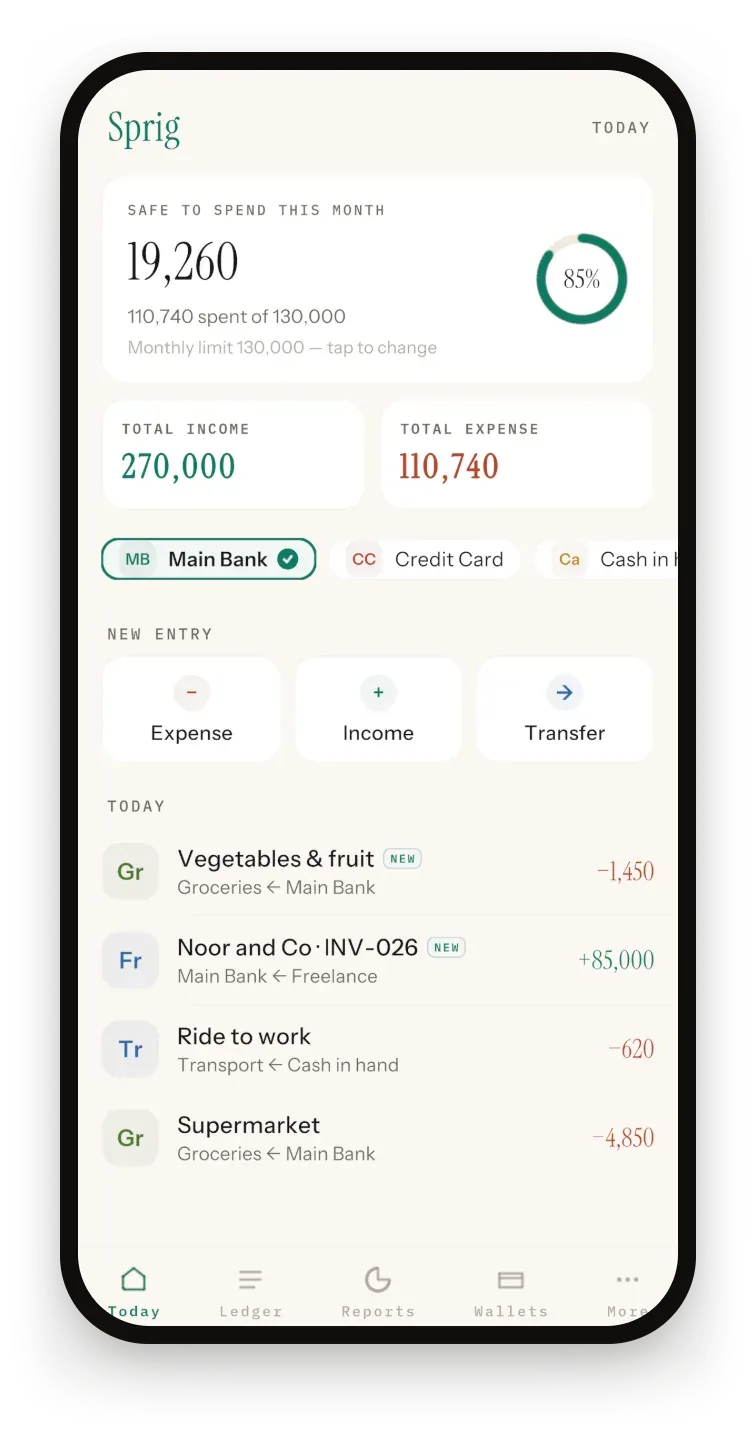
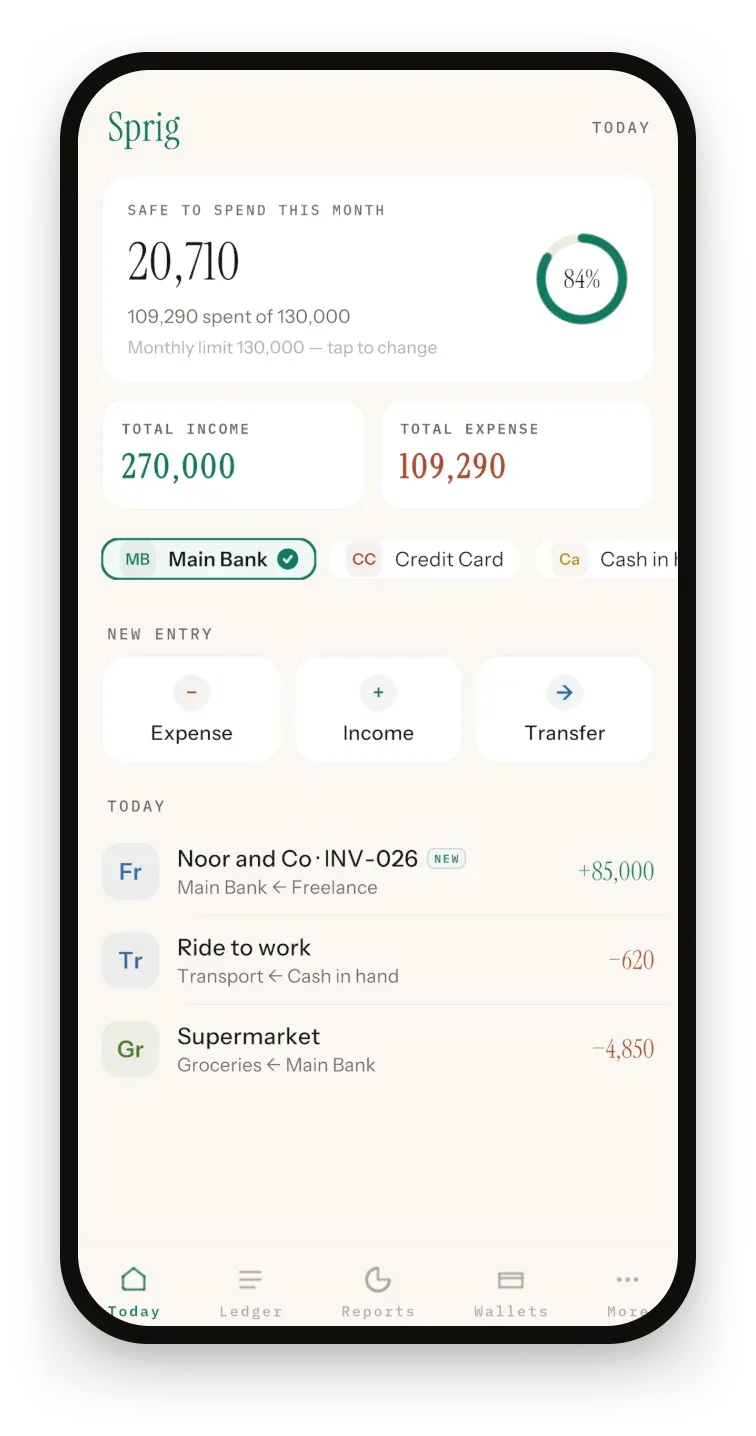
What is double-entry bookkeeping? It records every transaction twice — money leaving one place and arriving in another — so your books always balance. Sprig writes both sides for you, and every entry shows its pair: Groceries ← Main Bank
How it works
One tap on Today. The wallet is already picked — tap another in the strip if the money moved through it.
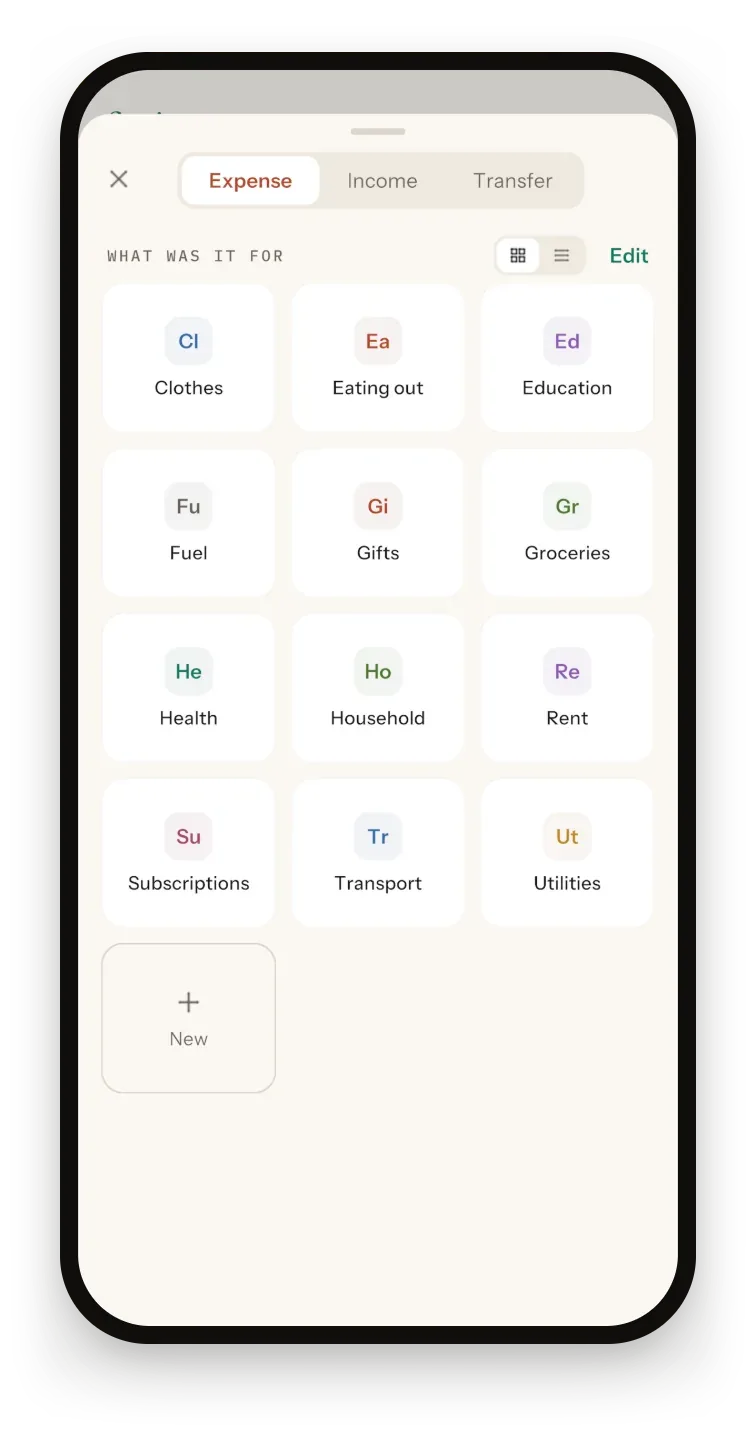
Tap a category, then a one-tap summary like “Supermarket” — or Skip. Add your own categories, or hide the ones you never use.
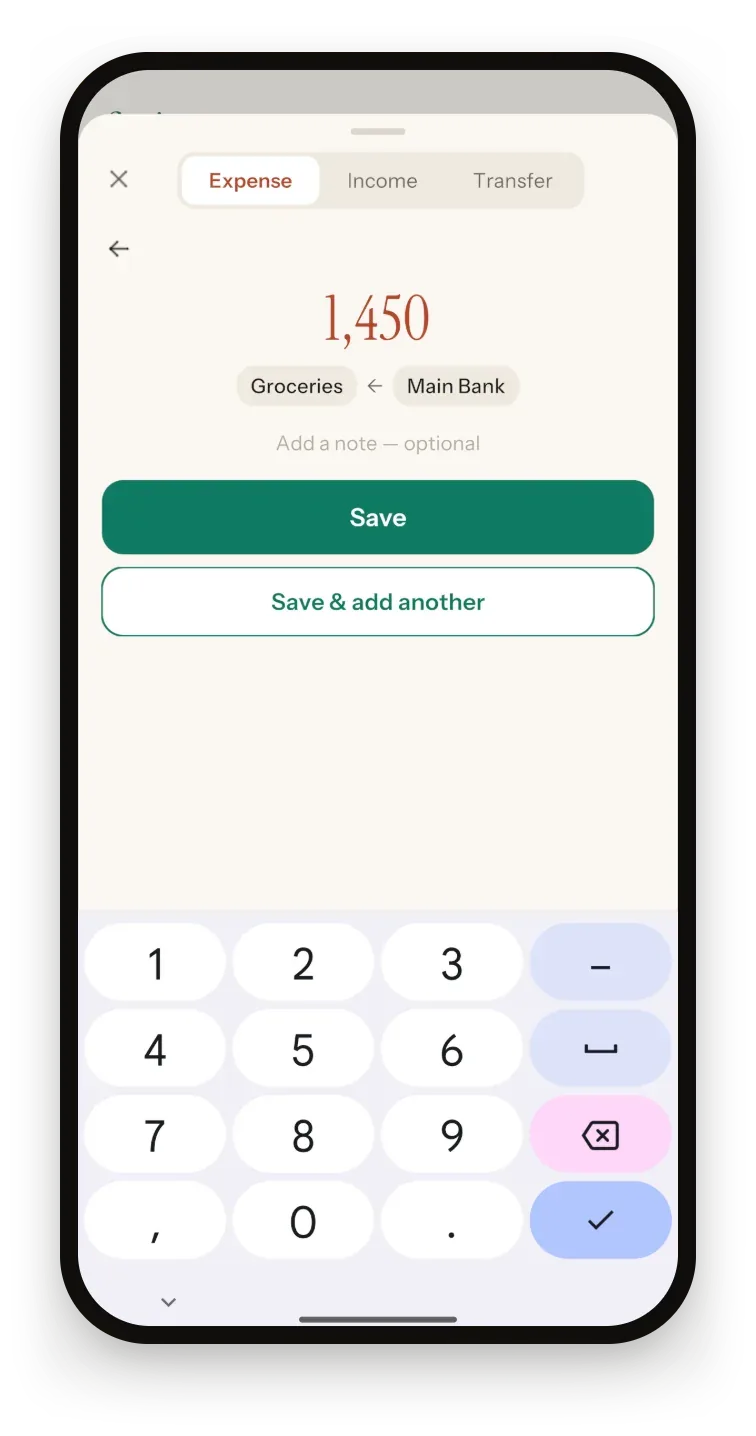
The number pad is already open, decimals included. Save, and your budget ring, your reports and both sides of the ledger update as you lift your thumb.
iPhoneBack Tap quick entry: double-tap the back of your iPhone to start an entry in seconds.
What it does
Receipts
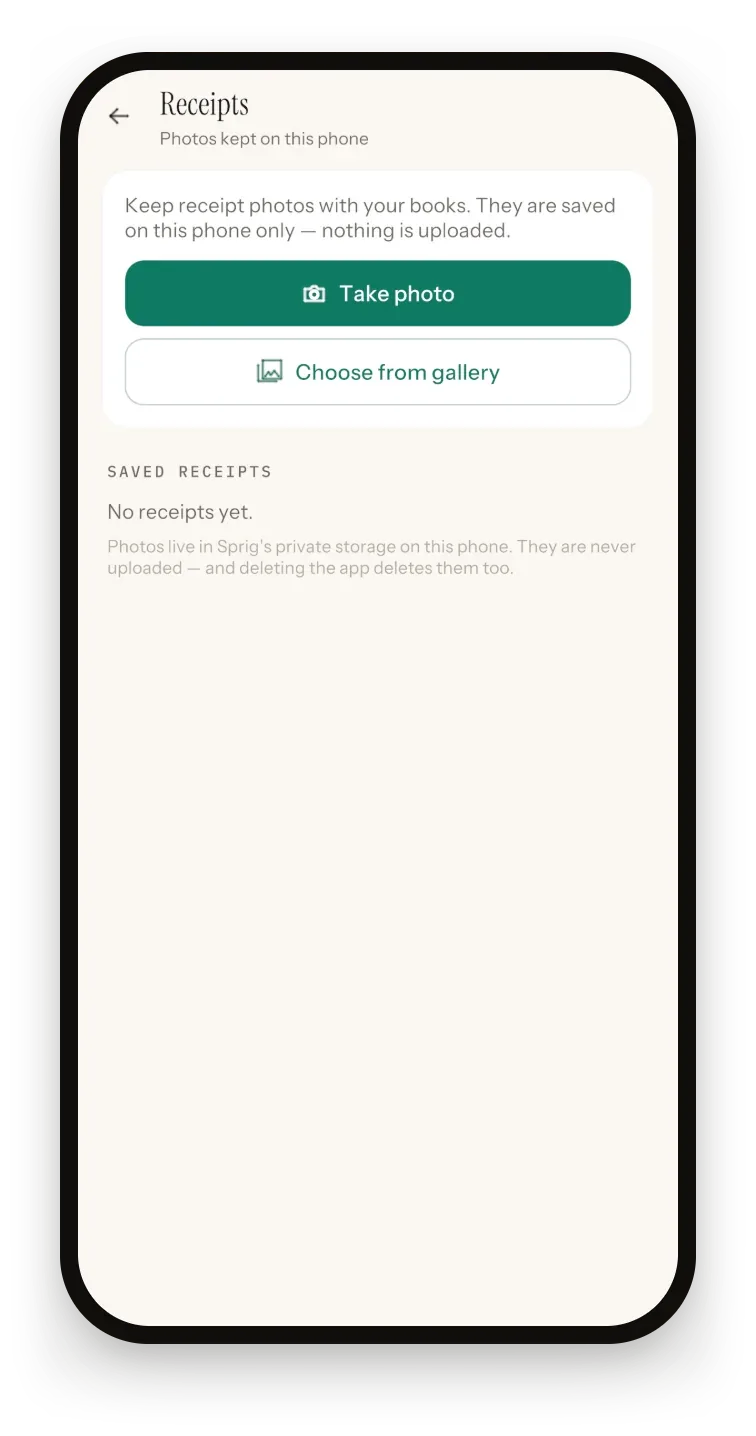
Photograph a receipt or pick one from your gallery. Sprig keeps the date it was taken; add a category and amount and it becomes a ledger entry with the photo attached.
Reports
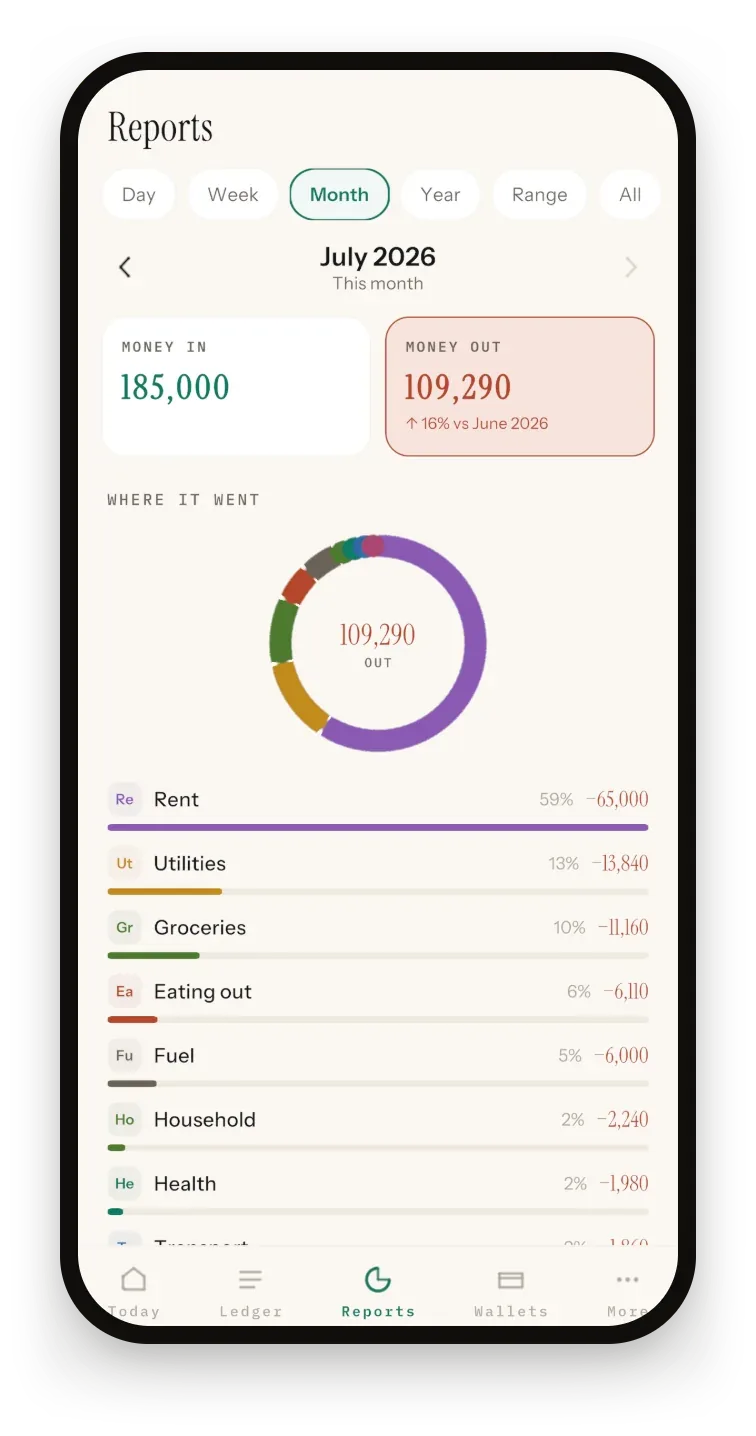
Every category, every month, on any range you pick — a day, a week, a month, a year, or any custom range.
Budgets
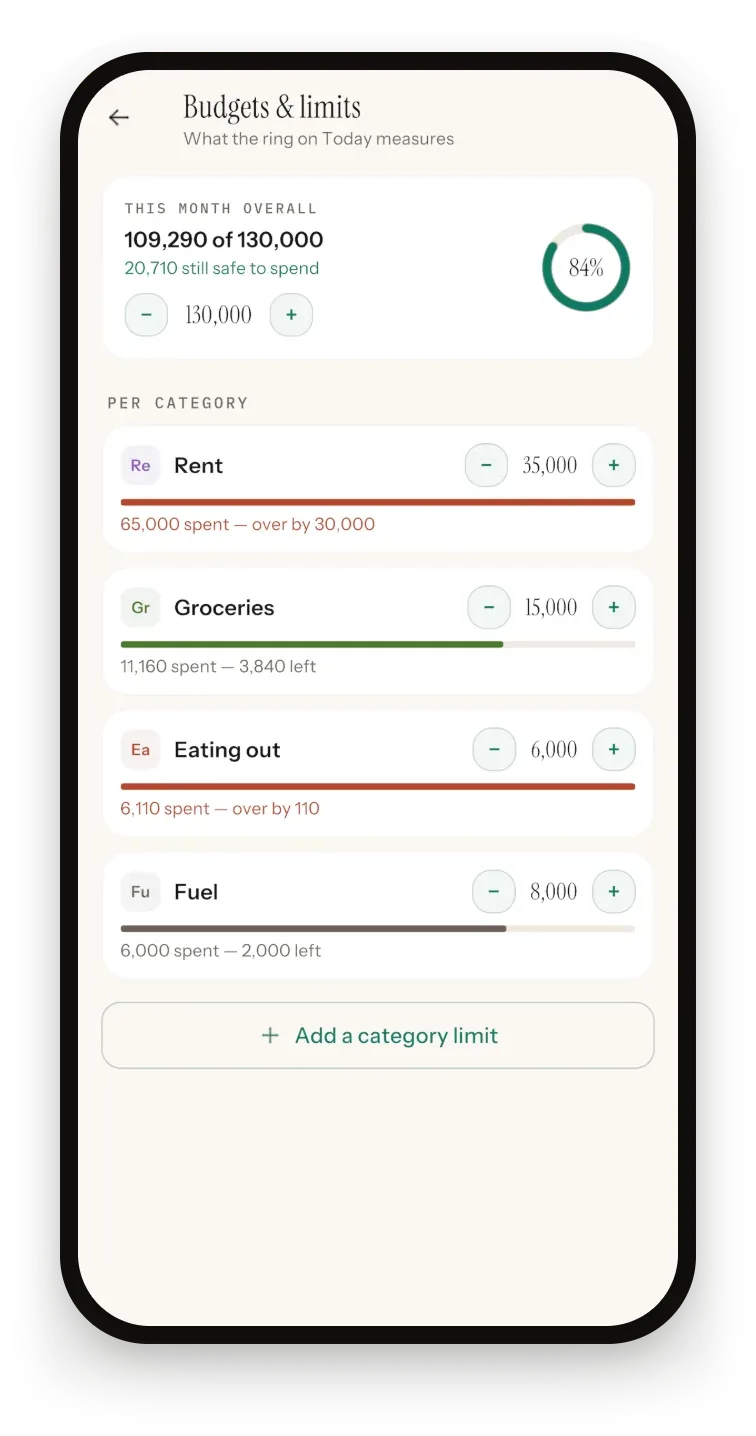
Safe-to-spend is the only number most days need. Sprig works it out from your monthly limit and what's already gone.
Also in the box
Personal and Side business, each with its own wallets, entries, invoices, mileage and reports.
Bank, card, cash and savings, each in its own currency: PKR, USD, AED, EUR, GBP, SAR or INR.
12.50 stays 12.50 on every amount screen, and Save & add another keeps a run of receipts moving.
Double-tap the back of your iPhone to start an entry in seconds.
Export a CSV for Excel or your accountant. On Android, import one back in, with a preview that skips duplicates.
English, Spanish, French, German, Portuguese, Italian, Indonesian, Turkish, Dutch, Polish, Swedish and Romanian.
Working for yourself
If you drive for work or work from a spare room, the deductions are already in your books — Sprig just adds them up, all year, quietly. Invoices post your income when you mark them paid.
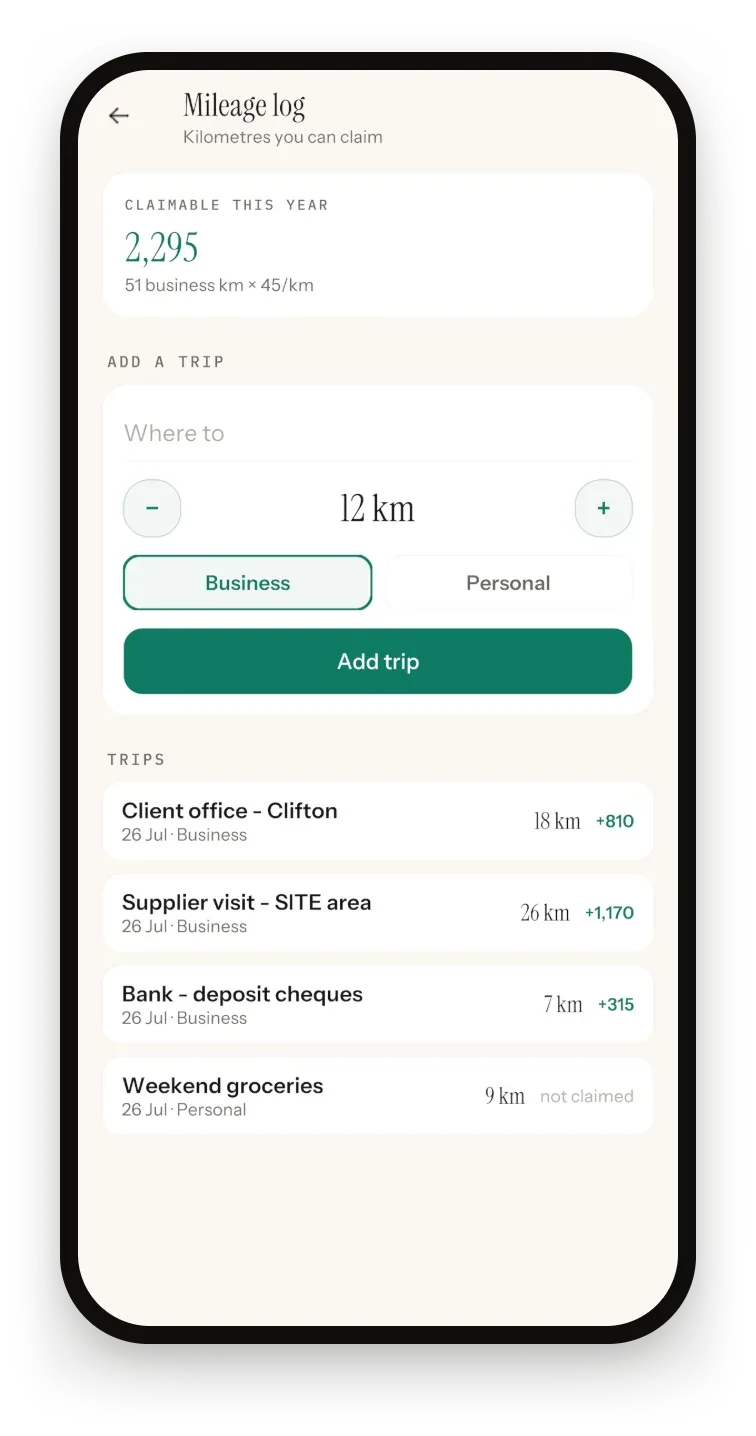
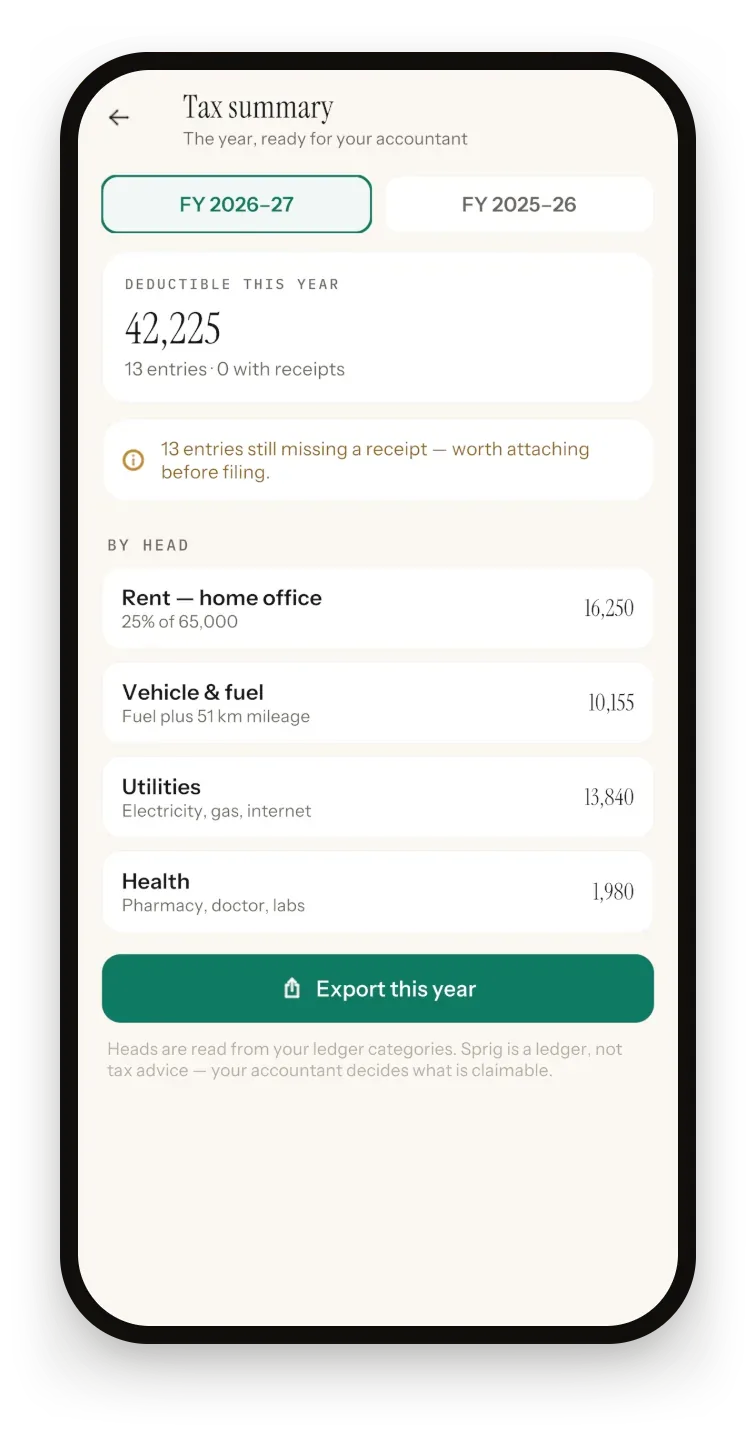
Log each trip in kilometres as business or personal. Business km are valued at a fixed 45 per km and added to Vehicle & fuel in your tax summary. No GPS, no tracking.
For this or last July–June financial year: home office (25% of rent), vehicle and fuel, utilities, health and education — plus a count of entries still missing a receipt.
Track who owes you. Overdue invoices turn red, and Mark paid writes the income into your books.
A CSV of every entry for the financial year, plus your mileage log, in a single hand-off.
Sprig is a ledger, not tax advice — your accountant decides what is claimable. Read the deductions checklist.
Security & privacy
No account, no data brokers — your spending never leaves your phone, so there's nothing to sell. The free plan shows Google ads only when you ask for more entries; Premium has none.
Every entry is written to your phone and works offline. No account, no server, no sync. On Android the file is encrypted with AES-256-GCM, using a key locked in the phone's hardware.
Sprig never asks for a bank login, so it can't see or move your money. You log each entry yourself, in four taps.
Your books go out as CSV whenever you like, free plan included. No lock-in, no export fee, no hostage-taking.
Face ID, Touch ID or passcode on iPhone; fingerprint, face or PIN on Android. It locks again every time you leave.
A passphrase-encrypted backup file (AES-256) of both books, saved wherever you choose. The passphrase never leaves you.
On Android, Sprig blocks screenshots and blanks itself in Recents. On iPhone, it covers your books while the screen is recorded or mirrored.
Who it's for
Self-employed
Invoices, a mileage log and deductible spending by head, all from the same four-tap entries. One CSV at year end.
Small business
Simple double-entry books without heavyweight accounting software — and a separate book for the side business.
Household
A private expense tracker with a safe-to-spend number and category caps — not a bank-linked money app.
Pricing
Every feature is in the free version. Premium is for people who log a lot and would rather never see an ad.
Free plan
Free
50 entries to start, with every feature included.
Sprig Premium · yearly
from US$9.99 a year
Local price shown in the store. Manage or cancel any time in your App Store or Google Play account.
Recently
12.50 stays 12.50 on every amount screen. On iPhone, Back Tap setup is fixed and lists scroll at 120 Hz on ProMotion screens; Android adds CSV import, Save & add another and A–Z sorting.
A plain-English pass through home office, mileage, equipment and the bits people miss — with the record that proves each one.
Private, offline double-entry books: four-tap entries, budgets, invoices, a mileage log, a tax summary and encrypted backups.
Questions
Sprig is a private, offline bookkeeping and expense tracker app for iPhone, iPad and Android, made by Secundum Reality, an app studio in Islamabad, Pakistan. It keeps real double-entry books in four taps and the amount, with budgets, invoices, a mileage log, receipt photos and a tax summary built from the same entries. There is no account, no bank login and no cloud.
Sprig is free to download, with 50 entries and every feature included. Watch an optional ad to add 20 more entries, up to four times a day; ads only play when you ask for them. Sprig Premium, a yearly subscription from US$9.99 a year (your local price is shown in the store), removes the entry limit and all ads. Reaching the limit never locks your reports, export or backup.
Yes, entirely. Every entry is written to your phone the moment you save, so a basement with no signal is no obstacle. Sprig has no account, no server and no sync, so there is nothing to catch up on later. Your books only leave the device when you export a CSV or save a backup yourself.
No. Sprig has no bank connection and never asks for a bank login, so it can't see or move your money. You log each entry yourself in four taps and the amount, and keep wallets for bank accounts, cards, cash and savings by hand. That is exactly why your books never have to leave your phone.
Your books are stored only on your phone and are never sent to Secundum Reality. On Android, the ledger file is encrypted with AES-256-GCM using a key locked in the phone's hardware keystore. Backups are encrypted with a passphrase you choose, and an optional app lock asks for Face ID, Touch ID, your fingerprint or your passcode. The free plan's ads come from Google AdMob; Premium has none.
Yes. More → Export prepares a CSV of the active book for this financial year, last financial year, this month or everything, with your mileage log included by default. The columns are Date, Category, Summary, Account, Amount and Type, and the file opens in Excel or any spreadsheet. Export is free on every plan. Receipt photos stay on your phone, and there is no PDF.
Yes. Sprig is on the App Store for iPhone and iPad running iOS 15 or later, and on Google Play for phones running Android 10 or later. Both versions share the same core features; Back Tap quick entry is iPhone-only. There is no web or desktop version, and nothing syncs between devices.
No. You tap Expense, Income or Transfer, pick a category and type the amount; Sprig writes both sides of the entry for you, so wallet balances can't drift. If you do know double-entry, the full ledger is there and every entry shows its pair, such as Groceries ← Main Bank.
Yes. Sprig has two books, Personal and Side business, and each keeps its own wallets, entries, invoices, mileage log and reports, so nothing bleeds across. Switch between them in More → Books & currencies. Export and the tax summary cover the active book, so your accountant only sees the side they need.
Open Settings & security and create an encrypted backup. Sprig locks a copy of both books, your settings, invoices and trips with a passphrase of at least six characters, using AES-256, and you save the file wherever you like, such as Files, iCloud Drive or Google Drive. Keep the passphrase safe, because it can't be recovered. Receipt photos aren't inside the backup.
No. Sprig keeps receipt photos with your books but doesn't read the text on them. Take a photo or pick one from your gallery and Sprig keeps the date it was taken. Add a category and an amount, and saving writes a ledger entry with the photo attached. Photos are saved on your phone only and are never uploaded.
No. Sprig is a ledger, not tax software or tax advice. Its tax summary totals deductible spending by head for the current or previous July–June financial year: home-office rent at 25%, vehicle and fuel plus business mileage, utilities, health and education. It also counts entries still missing a receipt. Your accountant decides what is claimable.
Updated · Sprig 1.1
From the blog
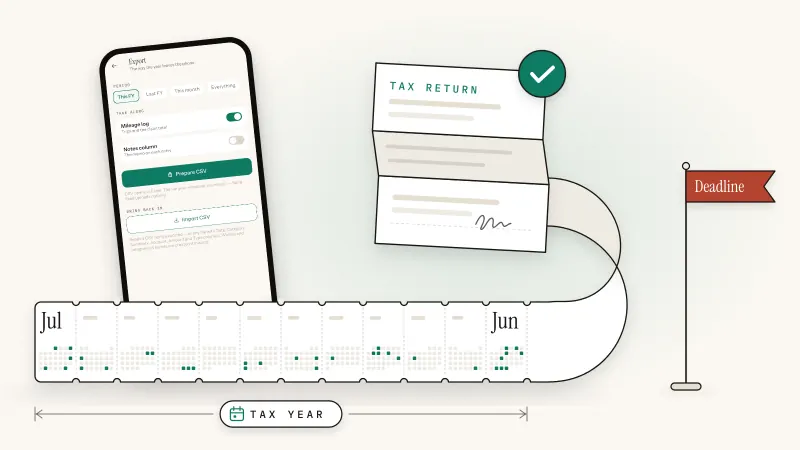
Pakistan tax
How to file your income tax return in Pakistan on IRIS: who must file, what to gather, each step to the wealth statement, and the 15 October 2026 deadline.
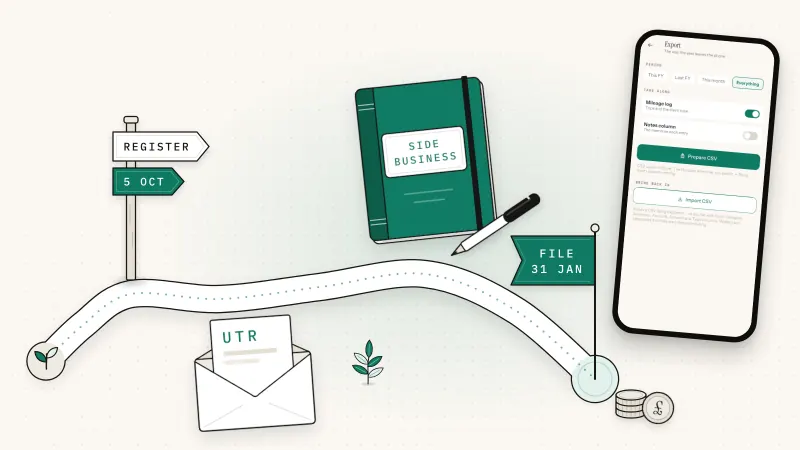
Tax time
Your first Self Assessment tax return as a sole trader in the UK: registering by 5 October (or late), your UTR, the SA103S short pages and your first bill.
Budgeting & saving
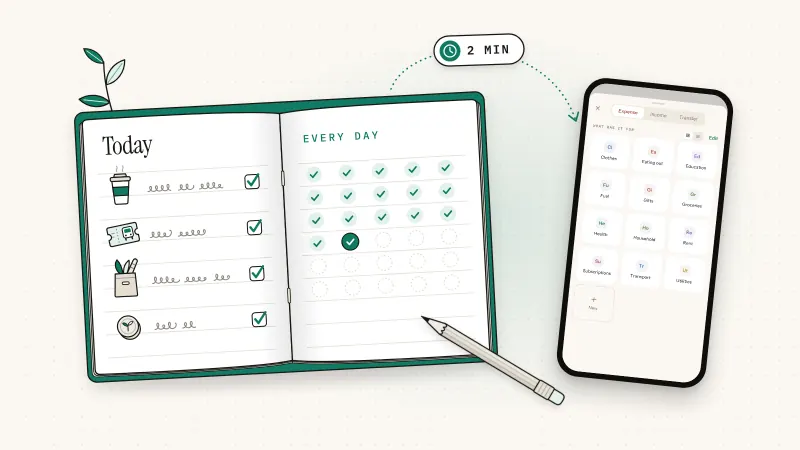
How to track daily spending for 30 days: one place to log, 10 to 12 categories, a two-minute evening habit and a month-end audit that shows where money goes.
Bookkeeping basics
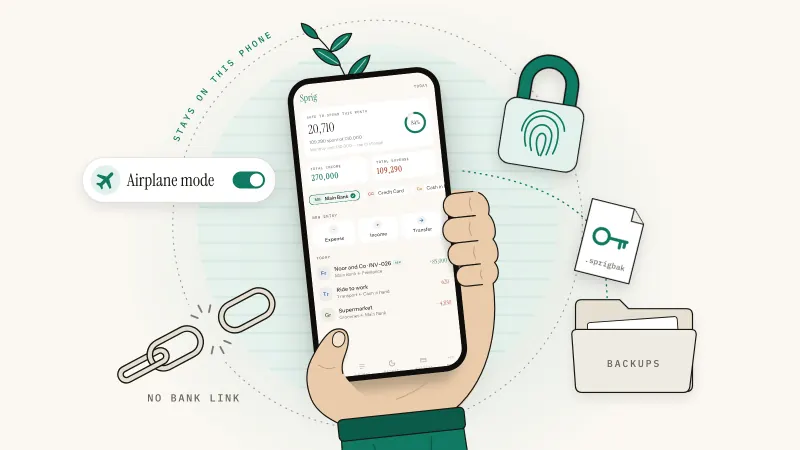
What an offline bookkeeping app really does, 7 checks a private one should pass, the honest trade-offs, and a backup routine that keeps your books safe.
Free to start with 50 entries. No account, no bank login, nothing to set up.
iPhone, iPad and Android · Premium from US$9.99 a year; local price shown in the store.