Bookkeeping basics
Offline Bookkeeping App: Private Books, No Bank Link
Your books don't need a server, a sign-in or your bank password. Here's what offline bookkeeping really means, what to look for, what you give up, and how to keep a phone-only ledger safe.
What is an offline bookkeeping app?
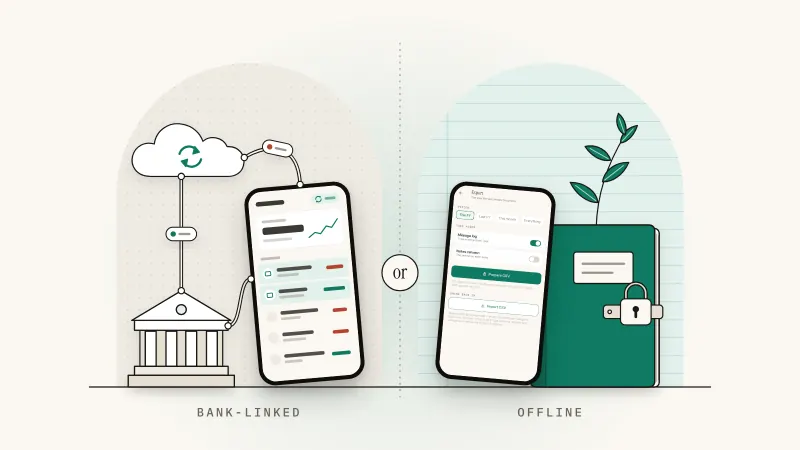
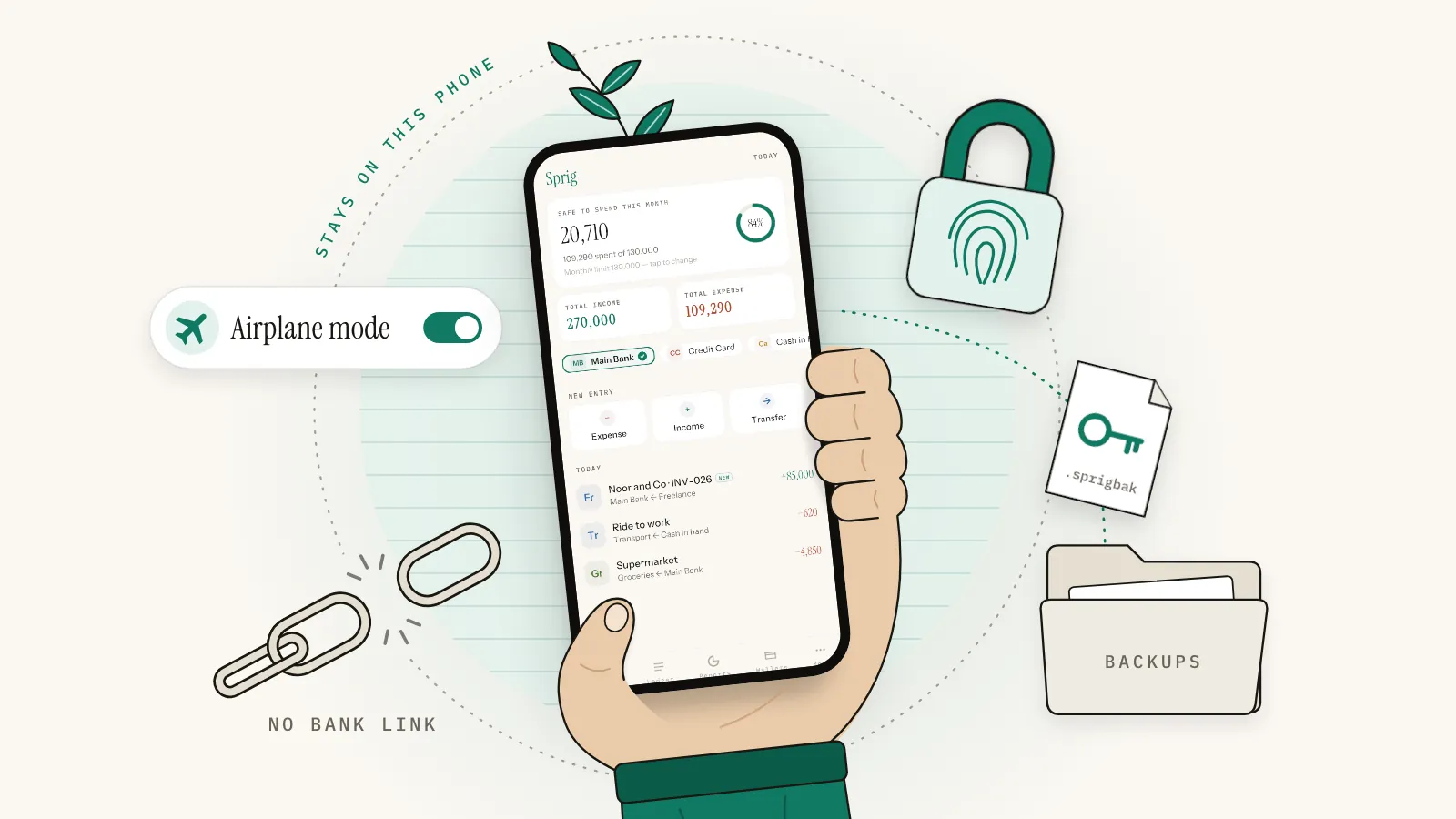
An offline bookkeeping app keeps your ledger on your own phone instead of on a company's server. You record income and expenses yourself, it works with no internet connection, and it needs no account or bank login. Your records leave the device only when you export them or save a backup.
Many money apps are windows onto a server. You sign in, the app pulls bank transactions through a data aggregator, and your books live in someone else's database. An offline app flips that. The database is a file on your phone, and you are the only one holding it.
"Offline" describes where your books live, not how careful the bookkeeping is. A good offline app still records the date, amount, category and paying account, ideally as both sides of each entry (the idea behind double-entry bookkeeping). Buying a subscription or loading an ad may still need a connection. Your records don't.
- Encrypted backup
- A copy of your books scrambled with a passphrase, unreadable to anyone who doesn't know it.
- Open export format
- A file such as CSV that any spreadsheet opens, so your records are never trapped in one app.
US
The IRS lets you use any recordkeeping system suited to your business that clearly shows your income and expenses, and the requirements for paper records apply equally to electronic ones (IRS: What kind of records should I keep). A phone app can meet that test if you keep the receipts and statements behind it.
UK
Since 6 April 2026, sole traders and landlords with qualifying income over £50,000 in 2024 to 2025 must use Making Tax Digital for Income Tax; from 6 April 2027 the threshold is £30,000, based on 2025 to 2026 income (GOV.UK: eligibility). HMRC accepts CSV import and export as a digital link (GOV.UK: keep digital records), but an offline app can't send updates itself, so ask your accountant which compatible software your CSV would feed. See how long to keep business records for what a digital record must include.
This is general information, not tax advice. Rules change, so check with your tax authority or an accountant.
Who is offline bookkeeping for?
Offline bookkeeping suits people who handle cash, whose bank isn't supported by budgeting apps, who work with patchy signal, or who don't want their finances on another company's server. Freelancers and side-business owners gain the most, because their records need to be complete and kept apart more than they need to be automatic.
- Cash-heavy businesses. Tutors, drivers, stallholders, tradespeople. A bank feed can't see the cash in your pocket.
- Unsupported banks. Bank feeds need an aggregator that connects to your bank. If yours isn't on the list, manual entry still records everything.
- Patchy signal. Site visits, travel, basements. Log the fuel stop when it happens, not when the Wi-Fi returns.
- Privacy. You'd rather not share years of transactions with an app company and its partners.
- Side hustlers. A day job plus a small business needs two clean sets of books more than automation.
Happy to link a bank so card payments arrive by themselves? A bank-linked app may suit you better. We weigh both fairly in bank-linked vs offline expense trackers.
7 things a private bookkeeping app should do
Run these seven checks before you trust a private bookkeeping app with a year of records.
1. Keep your books on the device
The ledger should live in the app's private storage, not on a server. The privacy policy should say plainly where entries are stored; the store's privacy label also covers ad and purchase data, so treat it as a start. If the app wants a sign-in before you can log a coffee, your data is going somewhere.
2. Work with no connection
Turn on airplane mode and log an expense. Bookkeeping without internet should feel exactly the same: entry, edits, reports, export. If it spins or refuses to save, it depends on a server.
3. Need no account
No email, no password, no sign-in screen. A bookkeeping app with no account has no login to steal and no password to reuse.
4. Lock with your face or fingerprint
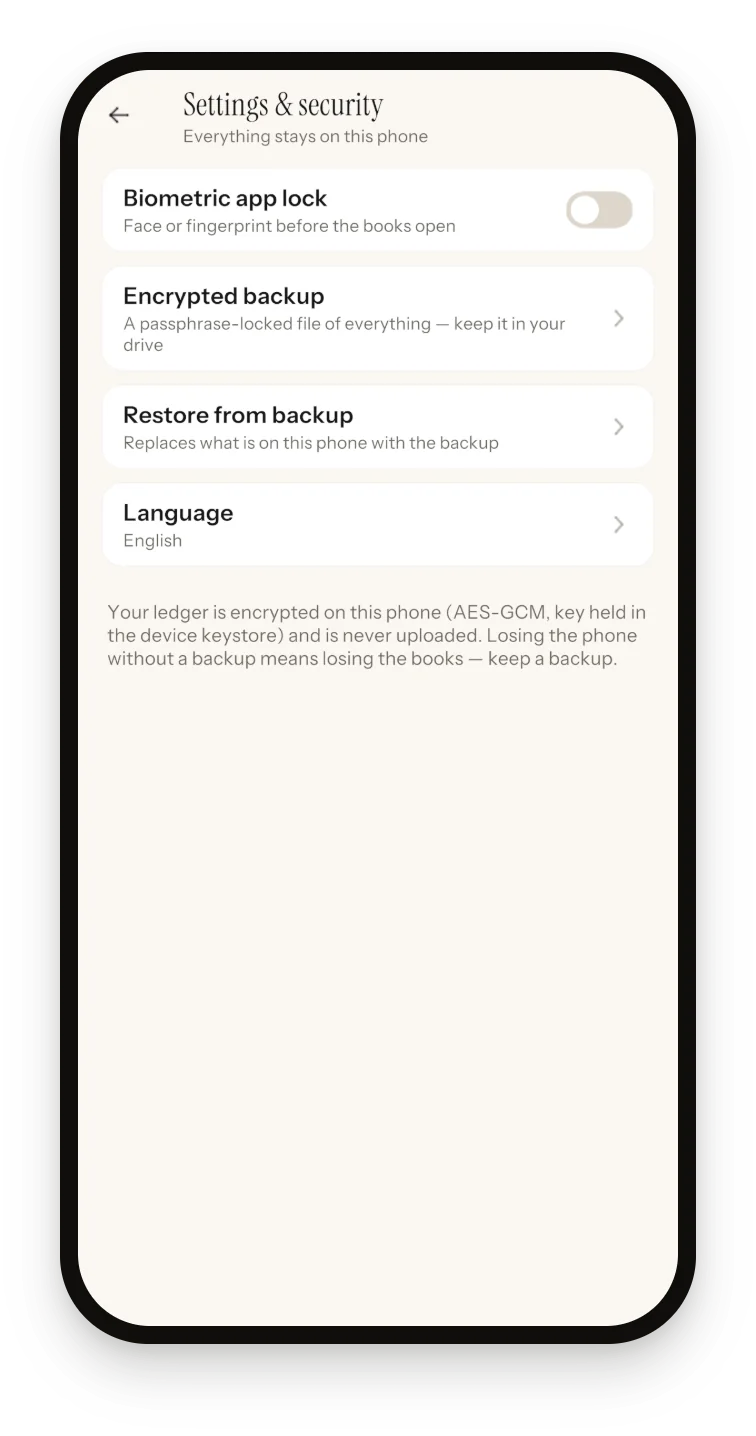
Phones get borrowed and lost. The app should ask for Face ID, a fingerprint or your passcode when it opens and again when you return to it. Set a passcode on the phone itself too: most app locks, Sprig's included, use the phone's own face, fingerprint or passcode and can't lock anything without one.
5. Encrypt backups with a key only you know
Offline makes the backup your job, so the app should make it safe: an encrypted file protected by a passphrase you choose, using a published method such as AES-256. The catch: nobody can reset that passphrase for you.
6. Export (and import) in an open format
CSV opens in every spreadsheet. Export gives your accountant a year of records and you a readable copy; import brings history in, so you're never locked into one tool.
7. Separate personal and business money
A grocery run should never land in business expenses. Look for separate books, not just a "business" tag. Our guide to separating business and personal finances explains why it matters at tax time.
| Check | Why it matters | Two-minute test |
|---|---|---|
| Data on the device | No company database of your transactions | Find where the privacy policy says entries are stored |
| Works offline | You log spending where it happens | Airplane mode, then add and export an entry |
| No account | No password to reuse or leak | Log an entry without signing up |
| App lock | A borrowed phone doesn't open your books | Lock on, switch apps, come back |
| Encrypted backup | Your books outlast the phone only if a copy lives elsewhere | Make a backup, find it in your drive, and check how restore opens it |
| CSV export and import | Your records outlive the app | Export a month, open it in a spreadsheet |
| Separate books | Business totals stay clean | Switch books, watch the totals change |
What do you give up with an offline app?
You give up automation and some convenience. You type every entry, the books live on one device with no sync, and backups are your job. If you lose the phone and never saved a backup file somewhere else, the books are gone. In return you get privacy, offline use and full control of your records.
| Area | What you gain | What you give up |
|---|---|---|
| Data entry | You see every amount as you log it | No bank import; you type entries or import a CSV |
| Privacy | No account, no bank login, no company copy | No one can reset your passphrase or recover data you didn't back up |
| Devices | One device to secure; works anywhere | No sync to a tablet or laptop |
| Safety net | Backups go wherever you choose | Making them is up to you |
How do you back up an offline bookkeeping app?
Once a month, make a passphrase-encrypted backup file and export a CSV, then save both somewhere off the phone that is itself backed up, such as iCloud Drive, Google Drive or a computer. Keep the passphrase in a password manager. The CSV is the copy any spreadsheet, or any app with CSV import, can read.
- Pick a passphrase you won't forget. Four random words beat a clever short one. Keep it in your password manager.
- Back up and export on the 1st of every month. Add a round after any big catch-up session. A repeating calendar reminder does the remembering.
- Save the files off the phone. A backup kept only on the phone goes missing with it. The backup is encrypted, so a cloud drive is fine; the CSV isn't, so keep it in a private folder.
- Save receipt photos separately. Some apps, Sprig included, leave images out of the backup. Copy important receipts to a backed-up folder.
- Keep the CSV next to the backup. It opens without the app, imports into a new install, and at year-end it's the file your accountant asks for.
- Check the files. Confirm this month's backup is in your drive, dated and not empty, before deleting an older one.
Retention periods depend on where you pay tax; see how long to keep business records.
How Sprig does offline bookkeeping
Sprig is a private, offline double-entry bookkeeping app for iPhone and Android, made by Secundum Reality. There's no account, no sign-in, no server, no bank login and no cloud sync. Your books stay on your phone unless you export them or save a backup.
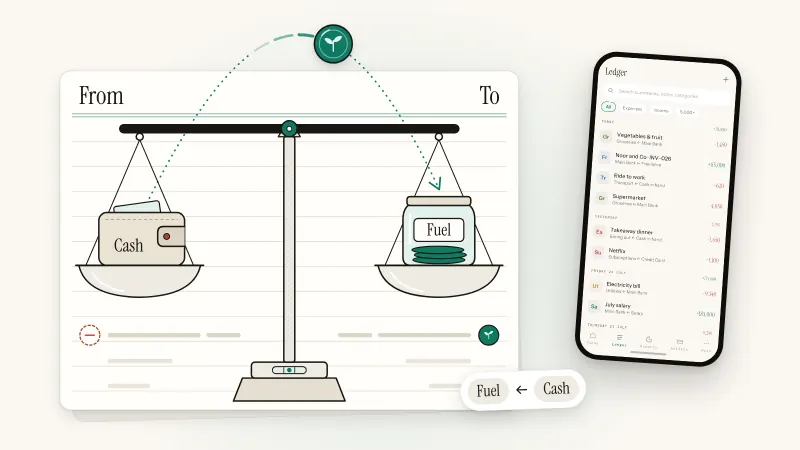
Logging takes four taps and the amount: Expense, a category, what it was (or Skip), the amount, Save. "Save & add another" handles a run of receipts. Every entry shows both sides, such as Groceries ← Main Bank, and wallet balances move only through entries, so they can't drift.
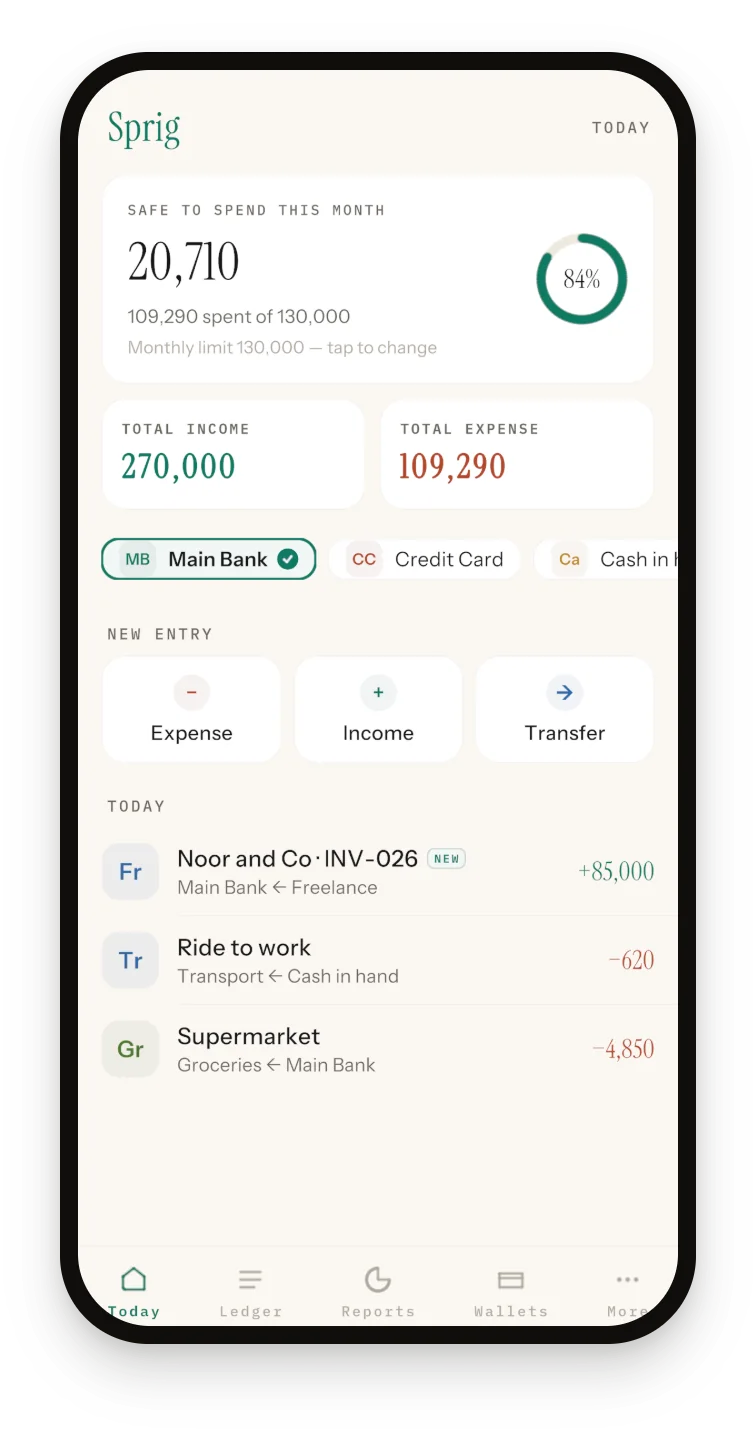
How Sprig helps
How Sprig meets the seven checks, plus one iPhone extra:
- On the device, no account: nothing to sign up for. On Android the books are encrypted with AES-256-GCM using a hardware keystore key, and screenshots are blocked.
- Offline: entries, reports, budgets, invoices, the mileage log and export all work with no connection.
- App lock: Face ID, Touch ID or passcode on iPhone; fingerprint, face or PIN on Android. It re-locks whenever you return.
- Encrypted backup: a passphrase of 6+ characters, AES-256 with PBKDF2 (100,000 iterations) and an integrity check, saved wherever you choose.
- Open formats: CSV export (Date, Category, Summary, Account, Amount, Type, optional Notes, plus your mileage log) and CSV import with a preview and duplicate skipping.
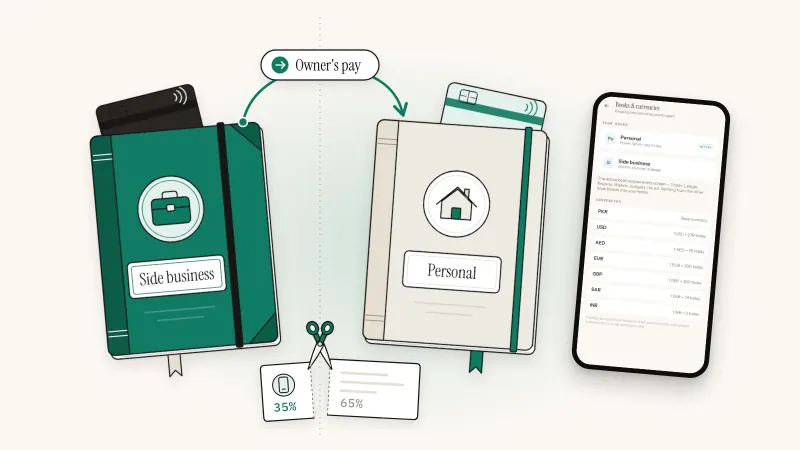
- Two books: Personal and Side business, each with its own wallets and entries.
- Back Tap (iPhone): double-tap the back of the phone to start an expense or income entry in seconds, using Apple's Back Tap setting.
For the business side, Sprig tracks what clients owe (Mark paid writes the income entry), keeps a mileage log, and attaches receipt photos to entries. Reports cover a day, week, month, year or custom range, and the tax summary totals deductible spending by head for the July–June financial year, counting entries still missing a receipt. It speaks 12 languages. See every feature on the Sprig app page.
Pakistan
Pakistan's normal tax year is the twelve months ending 30 June, named after the calendar year it ends in (Income Tax Ordinance, 2001, section 74). Sprig's tax summary uses the same July–June year: its FY 2026–27 is what FBR calls tax year 2027. For record rules, check FBR guidance or your tax adviser.
Elsewhere
If your tax year is the calendar year (US) or starts on 6 April (UK), Sprig's tax summary won't line up. Use Reports with a custom date range, or export Everything and filter by date.
What Sprig doesn't do
- No bank connection, no sync, no second device.
- Receipt photos aren't in the backup or the CSV.
- Restore lists only backups already in Sprig's own folder; it can't browse Files or Google Drive. On a new phone, import your CSV through the file picker instead, one book at a time. It brings back entries and mileage trips, though not opening balances, budgets or invoices.
- Unlike on Android, Sprig adds no encryption of its own to the data file on iPhone; it relies on iOS's built-in protections and the app lock.
- The tax summary is a fixed July–June year with built-in heads and no tax estimate; Sprig calls itself a ledger, not tax advice. Mileage is km only, at a fixed 45 per km. Export is CSV, not PDF. Receipt OCR is not included, so you type the amount.
Sprig is free for 50 entries, plus 20 more for each optional ad (up to 4 a day), with every feature included. On the free plan Google's ad SDK starts with the app, but an ad plays only when you ask for one. Premium, a yearly subscription, removes the entry limit and never loads the ad SDK.
Sprig for iPhone and Android
Keep your books in four taps.
Private, offline double-entry bookkeeping. No account, no bank login, no cloud. Free to start with 50 entries.
Frequently asked questions
Can I do bookkeeping without an internet connection?
Yes. An offline bookkeeping app stores the ledger on your phone, so logging entries, editing, running reports and exporting a CSV all work in airplane mode. You need a connection only to download the app, buy a subscription, watch an optional ad for more entries, or move a backup file to a cloud drive. Sprig works this way on iPhone and Android, with no account and no bank login.
Is an offline bookkeeping app safer than a cloud app?
It carries different risks. With no company server or login holding your transactions, a breach elsewhere can't expose them. But the phone becomes the single point of failure: lose it without a backup and the books are gone. Cloud apps can restore your data on a new device, but a third party holds it. Offline, manage the risk with an app lock and regular encrypted backups saved off the phone.
Does Sprig need an account or a bank login?
No. Sprig has no sign-up, no sign-in and no server, and it never asks for bank credentials. You add your own wallets (bank account, credit card, cash, savings) and log entries yourself. To bring in history, import a CSV from Sprig or a spreadsheet with Date, Category, Summary, Account, Amount and Type columns; Sprig shows a preview first and skips duplicates.
What happens to my books if I lose my phone?
Only a copy stored somewhere else can bring them back, because an offline app keeps no server copy. Each month, save a passphrase-encrypted backup and a CSV export to a cloud drive or computer. In Sprig today, the CSV is the copy you can import on a new phone through the file picker, since Restore only lists backups already in Sprig's own folder. Export each book, and save important receipt photos separately too.
Can I keep personal and business money in one bookkeeping app?
Yes, if the app keeps separate books rather than tags. Sprig has two fixed books, Personal and Side business, each with its own wallets, entries, reports, invoices, mileage, receipts, tax summary and export. The active book decides what every screen shows. One setting is shared: the monthly safe-to-spend limit. For the habits that keep the two apart, read how to separate business and personal finances.
Is Sprig free?
Sprig is free to start: 50 entries, then 20 more for each optional ad you choose to watch, up to 4 ads a day. Every feature is in the free version, and reports, export, backup and editing never lock. Sprig Premium is a yearly subscription with unlimited entries and no ads. The store shows the price in your currency; it was US $9.99 a year on the US App Store in October 2026.
Sources and further reading
Published 3 October 2026. Feature details were checked against Sprig 1.1 for iPhone and Android. This article is general information, not tax or legal advice; rules differ by country, so confirm anything you file with your accountant or tax authority.