Bookkeeping basics
Expense Tracker Without Bank Linking, or a Bank Feed? An Honest Guide
Bank feeds save typing. Offline trackers keep your data on your phone and see your cash. Here is how each one works, what each costs you, and a middle route that brings in your bank's transactions without handing over a login.
How do bank-linked expense trackers work?
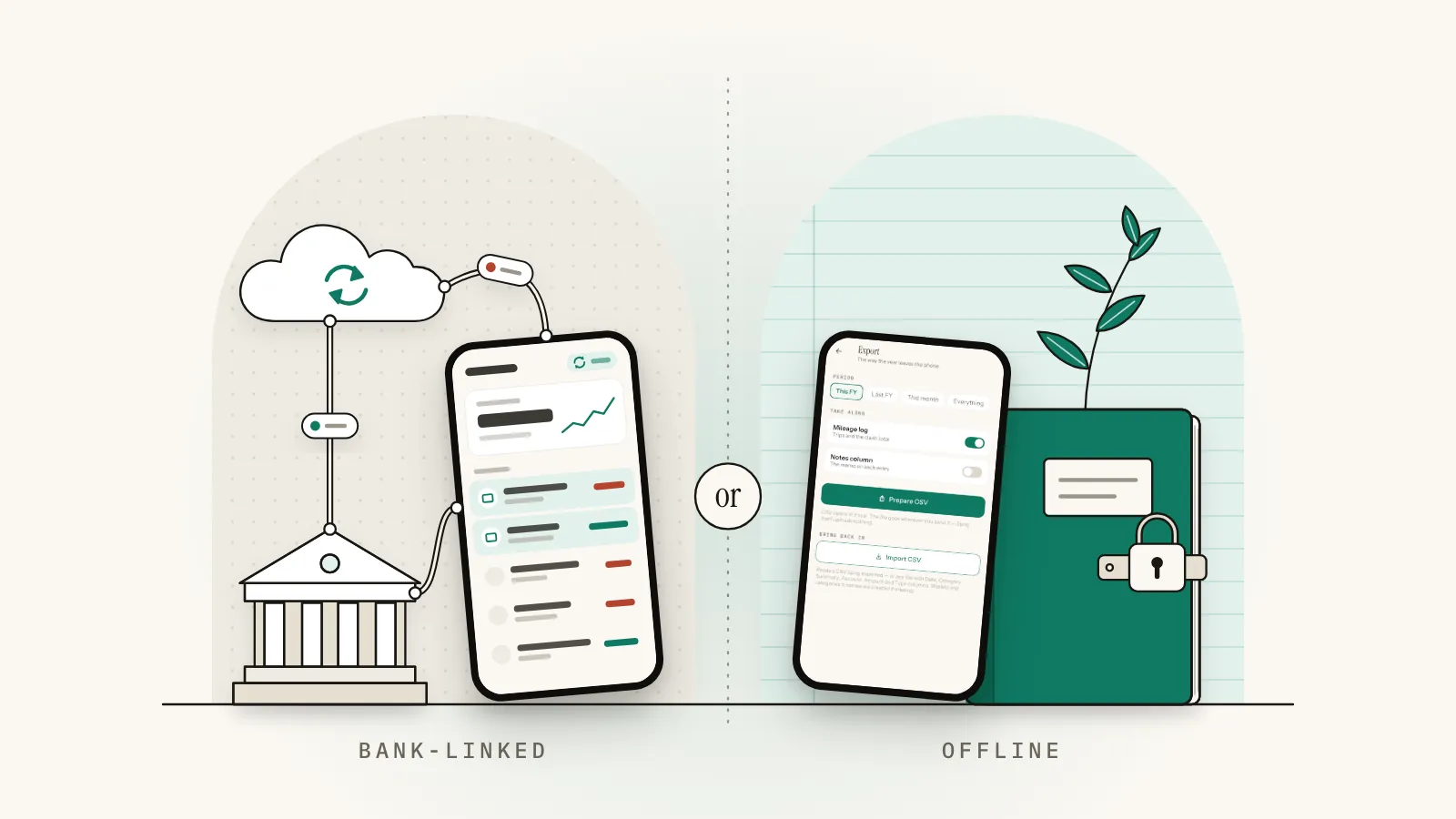
A bank-linked tracker connects to your bank through a data aggregator. You approve access once, then the app pulls in transactions and balances by itself and suggests a category for each. You review a list instead of typing it. Your data passes through the aggregator and usually lives on the app's servers.
Plaid, a data aggregator, says you can view the data types you've shared through it and control ongoing access in Plaid Portal (Plaid: how we handle data). So a link can be revoked. It also means at least two companies handle your transaction history.
A feed still doesn't do the bookkeeping. It knows 34.80 went to a fuel station, not whether the trip was for a client. You decide.
- Bank feed
- An automatic stream of transactions from your bank into an app, through a connection you approve.
- Data aggregator
- A company that connects apps to banks and passes your account data between them.
How does an expense tracker without bank linking work?
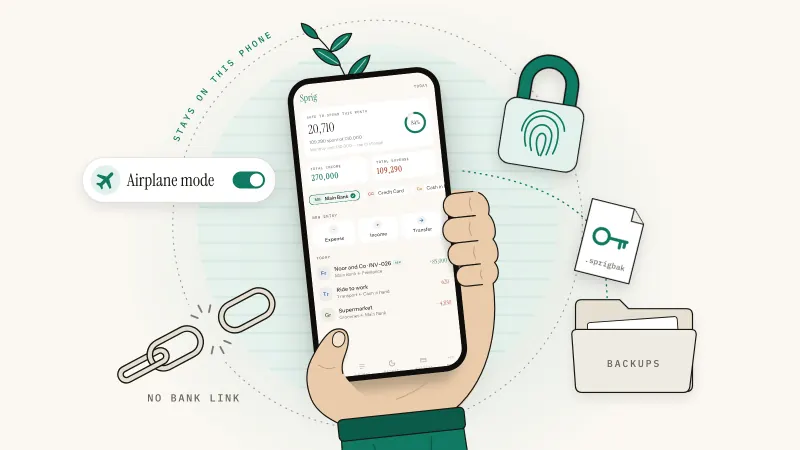
An expense tracker without bank linking, often called an offline expense tracker, keeps everything on your phone and records only what you put in. You log each expense or income as it happens, or import a file. Nothing connects to your bank, so it works with cash, any bank and no signal, and no company holds a copy.
The habit is old advice. The FTC's budgeting guide on consumer.gov puts it in one line: "each day, write down what you spent" (consumer.gov: Making a budget). An offline app is that notebook with the arithmetic done for you.
Typing takes a few seconds per entry, and that friction is the point for some people: you notice the third takeaway of the week while you log it.
A budget app without a bank connection also sees what a feed can't: cash, a bank no aggregator supports, a client who paid in notes. For the features that matter, see what a private offline bookkeeping app should do.
Bank-linked vs offline: side by side
Here is manual vs automatic expense tracking, point by point. Neither column wins every row.
| Point | Bank-linked tracker | Offline tracker |
|---|---|---|
| Setup | Connect each bank; reconnect if the link breaks | Add your accounts and opening balances by hand |
| Where your data lives | The app's servers, plus the aggregator | Your phone, unless you export or back it up |
| Who else handles your transactions | The app, the aggregator and whoever their policies allow | No app company or aggregator; files go where you send them |
| Daily effort | Review and fix categories | Type each entry, a few seconds each |
| Cash spending | Invisible; add it by hand | Logged like everything else |
| Banks covered | Only those the aggregator supports | Any bank, any country |
| Internet | Needed to sync | Not needed |
| Typical errors | Wrong categories; transfers read as income or spending | Forgotten entries; typos |
| Cost model | Often a subscription; check the plan includes bank sync | Free, one-off or subscription, by app |
| Best for | Many card payments, little time, a supported bank | Cash, privacy, side businesses, unsupported banks |
Is it safe to link your bank account to a budgeting app?
Usually, if you check who you're dealing with. Bank-linked apps typically connect through a data aggregator, you can revoke access later, and in the UK the provider must be authorized or registered by the FCA. The real trade-off is privacy: more companies hold a copy of your transaction history.
Regulation and revocable access protect the connection itself. They don't cut the number of places your history ends up; only fewer connections do. Before you link, ask:
- Can you see and revoke access? Look for a page that lists your connections.
- Who else gets the data? The FCA says a provider should tell you whether it will share your data with anyone else.
- What happens when you leave? Uninstalling the app may not end the access it holds on its servers. Disconnect the bank inside the app first, then delete it.
UK
Apps that pull your accounts into one place are account information service providers. The FCA says you can check its Financial Services Register to see whether a firm is authorized or registered, and if it isn't, you won't have access to the Financial Ombudsman Service or the Financial Services Compensation Scheme (FCA: account information and payment initiation services).
US
The CFPB released a final rule on personal financial data rights (section 1033) on October 22, 2024, and opened a reconsideration on August 22, 2025 (CFPB: Personal Financial Data Rights). On October 29, 2025, a federal court in Kentucky barred the CFPB from enforcing the rule until that reconsideration is finished (ABA Banking Journal). For now, rely on the app's and the aggregator's own terms, not on the rule.
Elsewhere
A feed works only where the app's aggregator reaches your bank. Check the supported-bank list before you pay.
Does a bank feed make your records more accurate?
It makes them more complete for card payments, not more correct. A feed catches every payment through linked accounts but misses cash and can mislabel transfers. Manual entry catches cash and context but depends on your memory. For taxes, either works if your records clearly show income and expenses, backed by receipts.
The IRS is relaxed about method: "Except in a few cases, the law does not require any special kind of records." Any system that clearly shows your income and expenses will do (IRS: Recordkeeping). A phone ledger you type into qualifies. So does a bank feed.
Neither proves a deduction alone. IRS Publication 583 says "proof of payment of an amount, by itself, does not establish you are entitled to a tax deduction," and tells you to keep documents such as sales slips and invoices too (IRS Publication 583). A feed line reading "FUEL STN 0412" shows you paid. The receipt shows what you bought. Here's how to organize receipts for taxes.
Double entry helps either way: a transfer can't pass as income, and a balance that doesn't match its statement points to a missing entry. That's why double entry keeps balances honest.
Pakistan
Section 174 of the Income Tax Ordinance, 2001 lets the Commissioner disallow or reduce a deduction if you can't, without reasonable cause, support it with a receipt or other record or evidence (FBR: Income Tax Ordinance, 2001). A bank line shows a payment, so keep the receipt too.
This is general information, not tax advice. Rules change and differ by country, so check with your tax authority or an accountant.
When is a bank feed the better choice?
Choose a bank feed when most of your spending runs through one or two supported cards or accounts, you have dozens of transactions a week, and you'd rather review than type. It also suits people who share books with a bookkeeper and are comfortable with an app and an aggregator holding their data.
Forty card payments a week is a lot of typing. If that's you, link the bank and review the categories weekly.
When does an offline expense tracker win?
An offline expense tracker wins when you handle cash, bank somewhere feeds don't reach, run a side business you want kept apart from personal money, or don't want another company holding your transaction history. It also suits patchy signal and anyone who wants to notice spending as it happens.
- Cash-heavy work. Tutors, drivers, market traders and tradespeople handle cash a feed never sees.
- Privacy. A private budgeting app with no account and no bank login keeps your history away from app companies and aggregators.
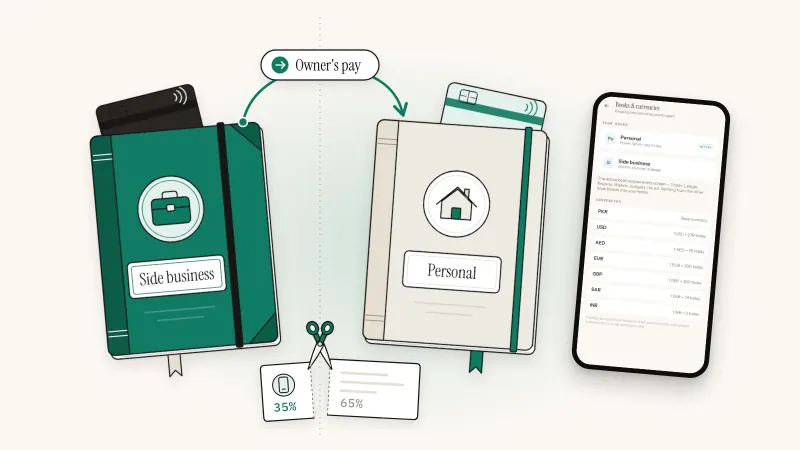
- Side businesses. Separate books matter more than automation. Here's how to separate business and personal finances.
A bank feed tells you where the money went. Typing it in tells you whether you meant to send it there.
How do you get bank transactions in without linking your bank?
Download a CSV statement from your online banking, tidy it in a spreadsheet so it has date, description, category, account and amount columns, then import the file into your offline app. A month of bank transactions arrives in one go, and your bank login never leaves your hands.
These steps follow Sprig's importer; other apps' column rules differ.
- Download the statement. Pick a period you haven't typed in yet, such as last month.
- Keep date, description and amount. Name those columns Date, Description and Amount. If your bank splits Paid in and Paid out, merge them into one Amount column with money out negative (a minus sign or brackets). Without a Type column, Sprig reads negative amounts as expenses and positive ones as income.
- Add Category and Account columns. Sprig won't read a file without both columns, and it skips any row where either is blank. Use its category names, such as Fuel or Utilities; a name it doesn't know becomes a new category, listed in the preview. Put the wallet's name, such as Main Bank, in the Account column.
- Check the dates. Sprig reads slash dates day first, so 05/06/2026 means 5 June. If your bank writes the month first, switch to the 2026-06-05 style.
- Mark your own transfers. For money moved between your own accounts, set Type to Transfer, put the account it left in Account and the one it reached in Category. Otherwise money back from savings reads as income.
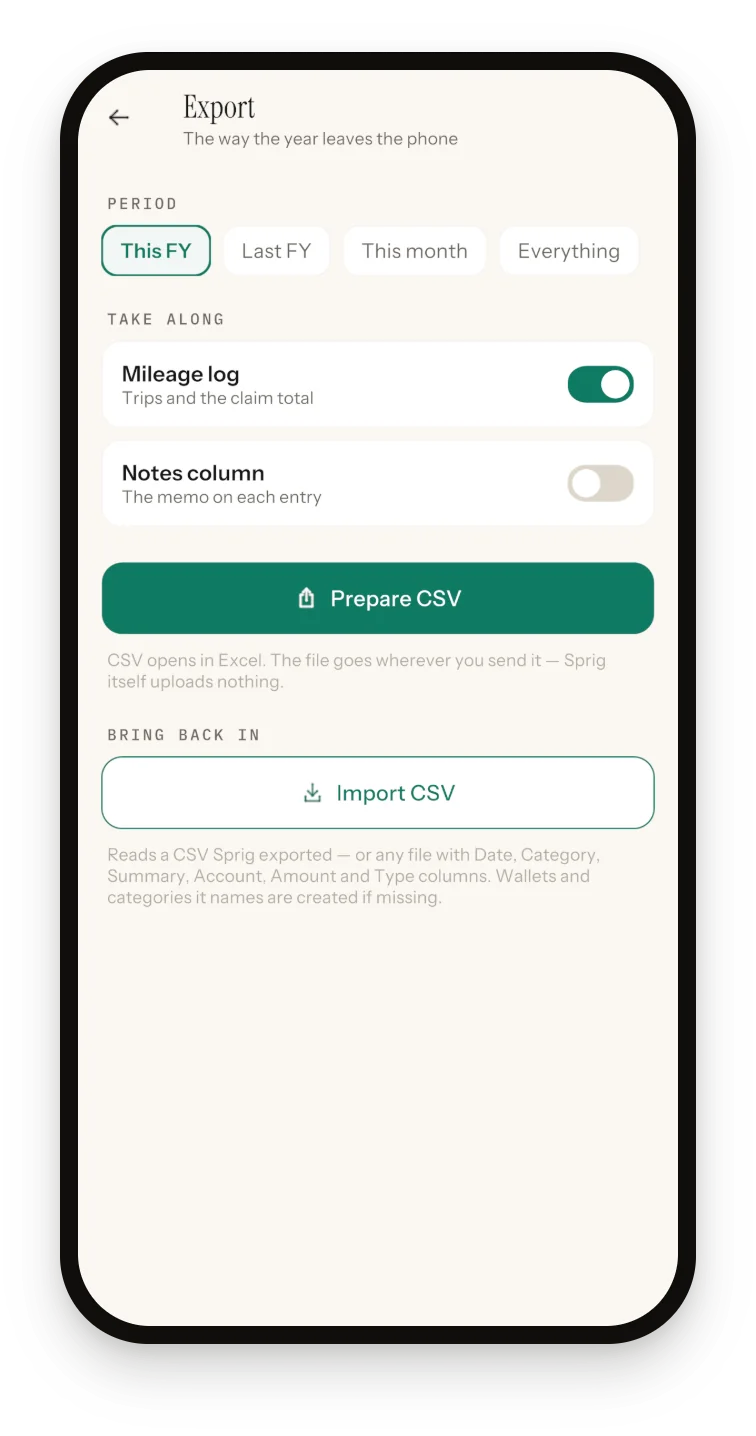
- Import and read the preview. Switch to the right book first, because rows land in the active one. Then open More, Export, Import CSV and pick the file. Before anything changes, you see rows to add, duplicates and unreadable rows skipped, and any new wallets or categories.
| Date | Description | Category | Account | Amount | Type |
|---|---|---|---|---|---|
| 2026-09-02 | Fuel station | Fuel | Main Bank | -3480 | Expense |
| 2026-09-03 | Client payment | Freelance | Main Bank | 85000 | Income |
| 2026-09-05 | Moved to savings | Savings | Main Bank | -20000 | Transfer |
| 2026-09-06 | Electricity bill | Utilities | Main Bank | -9340 | Expense |
Two habits keep the numbers right. Imported rows move wallet balances like typed entries, so create the wallet with the statement's opening balance first. And a duplicate is caught only when date, category, description, wallet and amount all match, so import periods you haven't typed.
At year-end the same format runs the other way: hand your accountant a clean CSV.
Where Sprig fits: offline books for you and your side business
Sprig is a private, offline double-entry bookkeeping app for iPhone and Android, made by Secundum Reality. It's an expense tracker without bank linking by design: no account, no sign-in, no server, no bank login and no cloud sync. Your books stay on your phone unless you export them or save a backup.
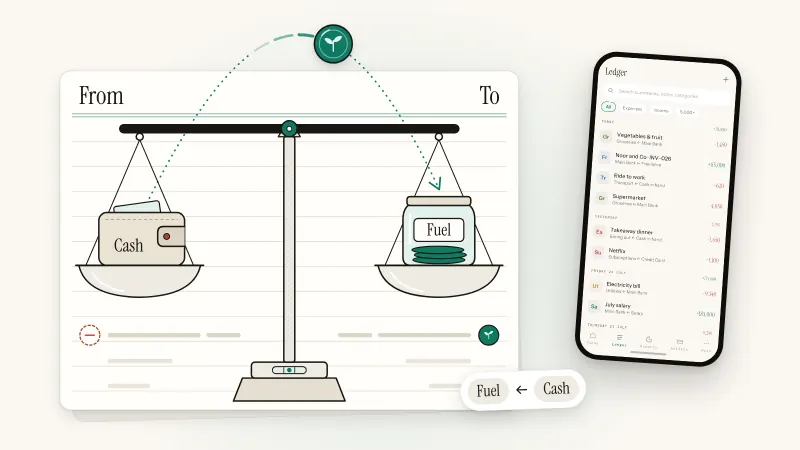
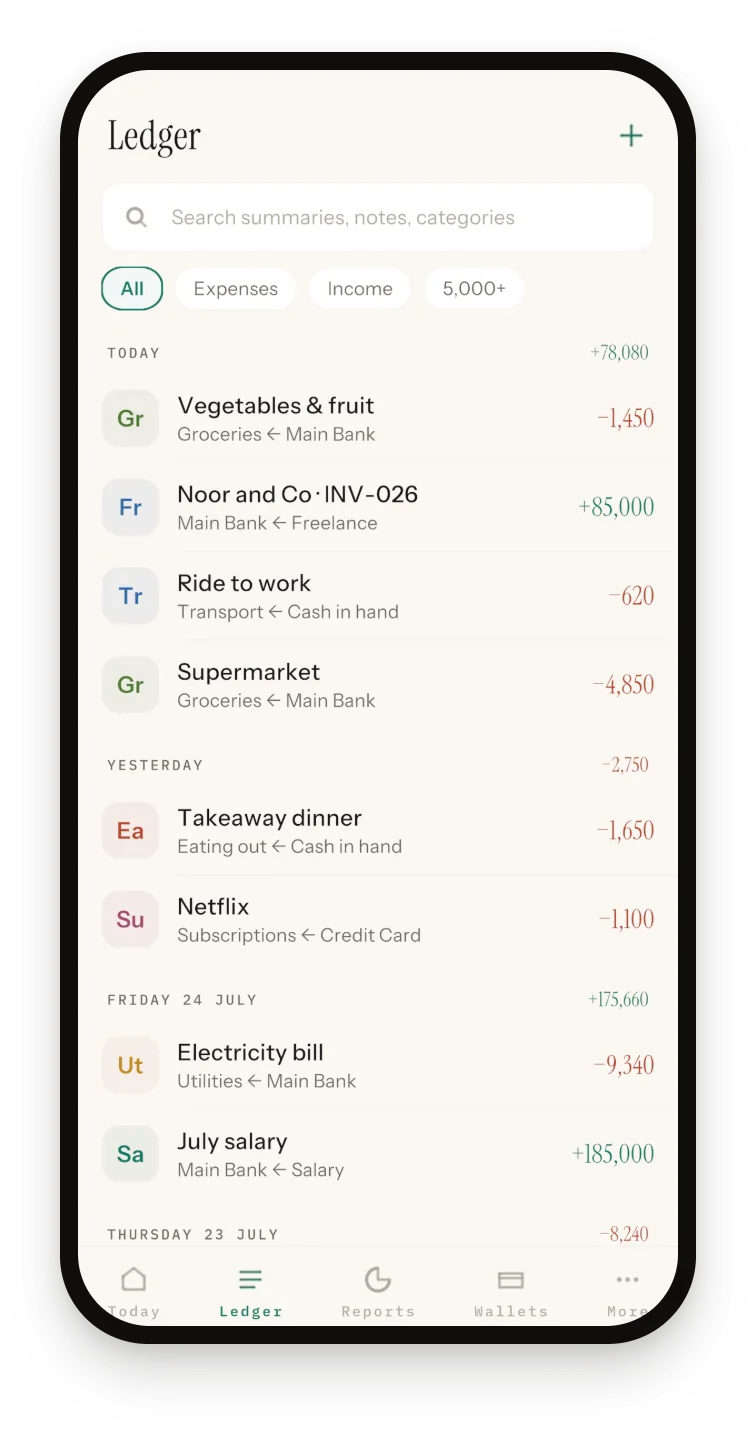
Logging takes four taps and the amount: Expense, a category, what it was (or Skip), the amount, Save. "Save & add another" handles a run of receipts, and on iPhone, Back Tap lets you start an entry with a double-tap on the back of the phone. Every entry shows both sides, such as Groceries ← Main Bank, and transfers between your own wallets never count as income or spending.
How Sprig helps
What you get without linking a bank:
- Cash and any bank: wallets for bank accounts, credit cards, cash and savings in one ledger.
- Statements without a login: CSV import, and imported rows don't count toward the free entry limit.
- Two books: Personal and Side business, each with its own wallets and entries.
- Business records: track what clients owe (Mark paid writes the income entry), log mileage in kilometers, attach receipt photos to entries.
- Locked down: Face ID, Touch ID or passcode on iPhone; fingerprint, face or PIN on Android, where the books are also encrypted with AES-256-GCM using a hardware keystore key. Backups are encrypted with your passphrase.
- Reports and export: any day, week, month, year or custom range, plus a CSV of the active book for your accountant.
Who Sprig isn't for
- People who want transactions to arrive by themselves. There's no bank connection and no sync.
- Anyone wanting books on a laptop or shared with a bookkeeper. Sprig lives on one phone.
- Anyone expecting one-tap statement import or receipt reading. There's no bank-specific parsing and no OCR, so you tidy the CSV and type receipt amounts.
- Anyone needing PDF reports or a January or April tax year. Export is CSV only, and the tax summary runs July–June.
Sprig is free for 50 entries, plus 20 more for each optional ad (up to 4 a day), with every feature included. On the free plan Google's ad SDK starts with the app, but an ad plays only when you ask. Premium is a yearly subscription with unlimited entries and no ads. The offline bookkeeping app page shows every feature.
Sprig for iPhone and Android
Keep your books in four taps.
Private, offline double-entry bookkeeping. No account, no bank login, no cloud. Free to start with 50 entries.
Frequently asked questions
Do I need to link my bank account to track expenses?
No. Linking saves typing, but nothing requires it. In the US, the IRS lets you choose any recordkeeping system that clearly shows your income and expenses, and a ledger you type into does that. You can log spending by hand, or download a CSV statement and import it yourself, so no app gets your bank login. Keep receipts either way.
Is manual expense tracking accurate enough for taxes?
Yes, if it's complete and kept as you go. For most businesses the IRS doesn't require any special kind of records, only records that clearly show income and expenses, backed by documents. Log entries the same day, keep receipts, and check each account against its bank statement monthly.
Can an offline expense tracker work for a small business?
Yes, for a sole trader or side business with modest volume. Look for separate personal and business books, transfers that don't count as income, CSV export and encrypted backups. Sprig adds invoice tracking, a kilometer mileage log and receipt photos on entries. A business needing several users, payroll or inventory wants full accounting software.
How do I disconnect a budgeting app from my bank?
Remove the bank connection inside the app first, because uninstalling alone may leave access in place on its servers. Then check the aggregator: Plaid, for example, lets you view shared data and control ongoing access in Plaid Portal. Finally, look in your online banking for connected apps or third-party access and revoke what you no longer use.
Which costs less over a year, a bank-linked or an offline tracker?
Compare cost models, not headline prices. Bank-linked apps often charge a subscription, and bank sync may sit in a paid tier, so price the plan you'd actually use. Offline apps range from free to one-off or yearly. Sprig is free for 50 entries plus 20 per optional ad; Premium was US $9.99 a year on the US App Store in October 2026.
Sources and further reading
- IRS: Recordkeeping
- IRS Publication 583: Starting a Business and Keeping Records
- FCA: Account information and payment initiation services
- CFPB: Personal Financial Data Rights (section 1033 rule and reconsideration)
- ABA Banking Journal: Kentucky federal court enjoins CFPB from enforcing current 1033 final rule (Nov 3, 2025)
- FBR: Income Tax Ordinance, 2001 (amended up to 30 June 2026), section 174 Records
- Plaid: How we handle data
Published 3 October 2026. Feature details were checked against Sprig 1.1 for iPhone and Android. This article is general information, not tax or legal advice; rules differ by country, so confirm anything you file with your accountant or tax authority.