 Last Charge
For parents
STEM games for kids: coding, engineering and math on phone or tablet
Coding, bridge-building, geometry and science apps for children of about 8 to 14, grouped by the part of STEM they cover, with the official age ratings, how each one is paid for, and what the research says.
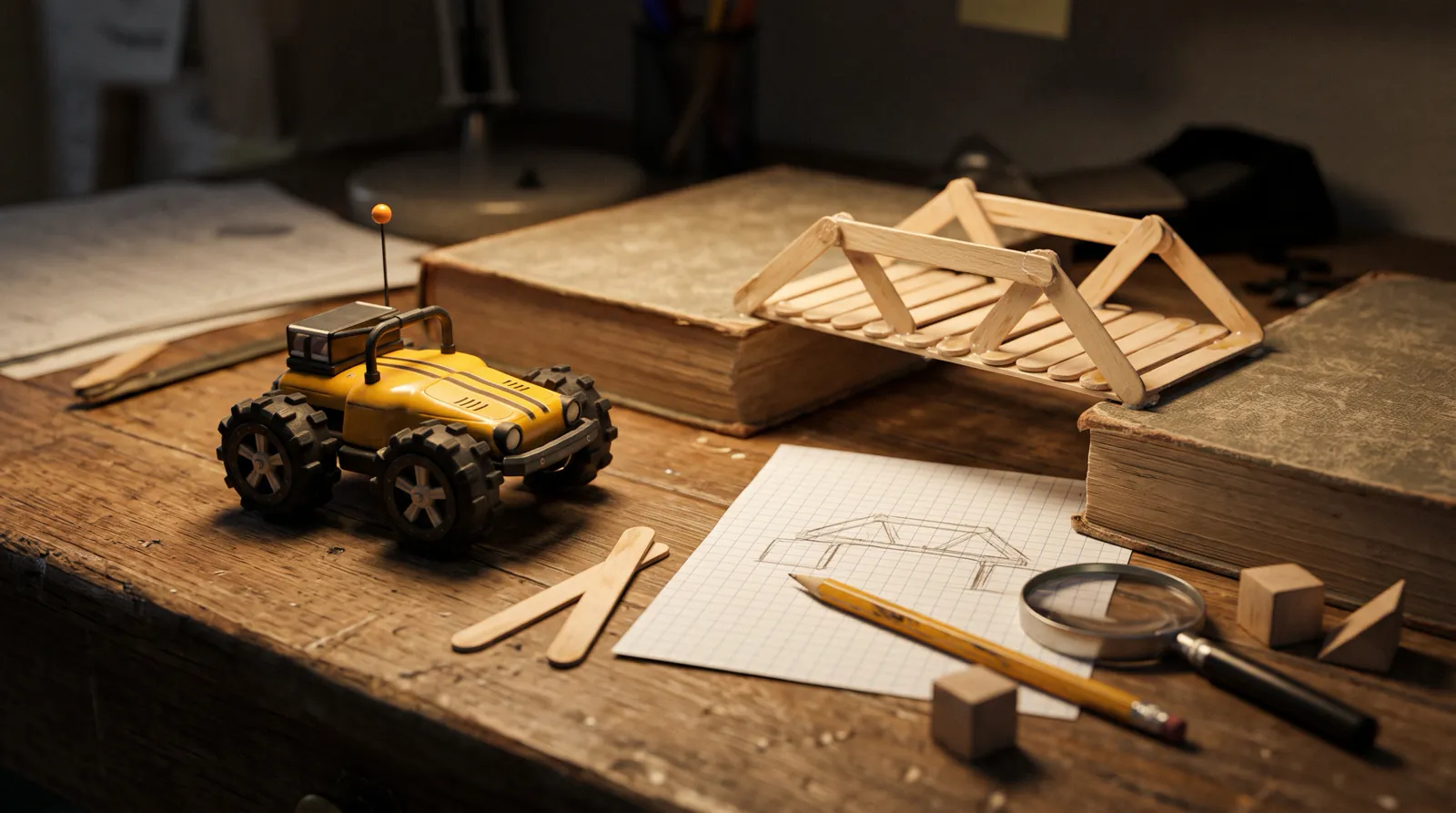
The best STEM games for kids give a child something to program, build or test, and show straight away whether it worked. For coding, try Swift Playground, Scratch or Human Resource Machine; for engineering, Poly Bridge 3 and Mekorama; for math, the DragonBox apps and Euclidea; for science, Tinybop's Simple Machines.
One game mentioned here is ours: Last Charge, the toy car physics puzzle game by Secundum Reality. We make it, so it isn't ranked here, and it isn't a STEM course. It's included because one of its levels is a good fault-finding puzzle, and we know exactly how it works.
Ratings and prices are from the US App Store and Google Play pages and the developers' own sites, checked on . They can differ by country and change with updates.
What counts as a STEM game?
A STEM game asks a child to do the work of science, technology, engineering or math: write instructions a machine follows, design something and test it, find the rule behind numbers or shapes, or watch how objects behave. The word "educational" on a store page doesn't tell you whether a game does any of that.
A 2015 review in Psychological Science in the Public Interest, by Kathy Hirsh-Pasek and colleagues, counted more than 80,000 App Store apps billed as educational, with no science-based standard behind the label. The four things it suggests looking for, which the authors call pillars, are active involvement, engagement, meaningfulness and social interaction. The paper is about apps for young children, and it doesn't test any app on this page.
Two store labels help a little. Apple's Kids category, shown as "Made for Ages" on the page, puts an app in an age band (5 and under, 6 to 8, or 9 to 11) and requires a parental gate before purchases or links out. Google Play's Teacher Approved badge means teachers and children's media specialists rated the app on design, appeal, enrichment, age appropriateness, and its ads and purchases. Neither label measures what a child learns.
What are the best coding games for kids?
For ages 8 and up, Swift Playground (iPad and Mac) and Scratch are free and use real programming. Lightbot is a gentle puzzle start on iPhone and iPad. From about 9, Human Resource Machine and 7 Billion Humans turn programming into office-worker puzzles. ScratchJr suits younger brothers and sisters aged 5 to 7.
Apple's Swift Playground is free, with nothing to buy, on iPad and Mac only. You solve puzzles by writing code and watch it run in a 3D world, then move on to building apps in Swift, the language professionals use for iPhone apps. The App Store page pitches it at anyone from eight to 108.
Scratch, from the nonprofit Scratch Foundation, is free and designed for ages 8 to 16. Children code their own interactive stories, games and animations, in a web browser or in the free Scratch app for Android tablets and Chromebooks, which Google Play rates Everyone. Scratch says the Android app doesn't work on phones. It is also an online community where members share projects and comment, moderated by the Scratch Foundation, so go through its community guidelines together. For a 5- to 7-year-old, ScratchJr is the free picture-block version, rated 4+ and Everyone.
In Lightbot: Programming Puzzles, from SpriteBox, you guide a robot to light up tiles with commands, working up to procedures and loops. It's a one-time purchase on the App Store, which lists it for ages 9 to 11, and a free 20-level version, Lightbot: Code Hour, sits beside it. The Google Play link on Lightbot's own site no longer loads, and the app was last updated in 2016, so check it runs on your device.
Tomorrow Corporation's Human Resource Machine is for slightly older children: each level is a job from your boss, and you automate it by programming a little office worker. In the follow-up, 7 Billion Humans, crowds of workers run your code at once, with hint and skip options. Both are one-time purchases, rated 9+ on the App Store (where the seller is Experimental Gameplay Group) for infrequent cartoon or fantasy violence. On Google Play, where both carry the Teacher Approved badge, Human Resource Machine is Everyone 10+ and lists in-game purchases; 7 Billion Humans is Everyone.
A good habit with any coding game: before your child presses play, ask them to read the program out loud and say what each line will do.
Do coding and STEM games help kids learn?
Somewhat, with limits. A 2019 meta-analysis of 105 studies found that students who learned to program did better on some other thinking tests, but far less so when the comparison group also had a lesson. A 2016 review found learning games beat other teaching on average, with the benefit coming from games played over several sessions.
The 2019 analysis, by Ronny Scherer and colleagues in the Journal of Educational Psychology, pooled studies of mostly primary and secondary school students. Most were run during school lessons with visual programming tools, and most were quasi-experiments rather than fully controlled trials. Learning to code was linked to gains in creative thinking, math, metacognition (thinking about your own thinking), spatial skills and reasoning; school achievement and literacy gained least. When the comparison group got some other lesson instead of nothing, the effect on unrelated skills fell to about a quarter of its size.
The 2016 meta-analysis, by Douglas Clark and colleagues in the Review of Educational Research, covered students aged 6 to 25, with an average age of about 13 in its main comparison. It compared games used to teach something with other ways of teaching the same thing. Games came out ahead by a modest margin on average, games played over several sessions helped, and single sessions showed no clear benefit.
Neither review shows that a particular app on this page will raise grades. The one thing to borrow for home is to play over several sessions rather than one long one.
Which engineering games let kids build and test?
Poly Bridge 3 and Mekorama are good engineering games for kids. In Poly Bridge 3 you design a bridge, run the vehicles over it and see where it gives way. Mekorama has 50 small mechanical dioramas to guide a robot through, plus a diorama maker for building your own. Both are rated 4+ and Everyone.
Poly Bridge 3, from Dry Cactus, adds hydraulics, jumps and drawbridges to plain bridge building, plus a sandbox mode with no limits. On the App Store it's free to try, with one purchase that unlocks the full game, and its page says it carries no advertising. On Google Play it's a one-time purchase with the Teacher Approved badge. Poly Bridge 2 is still on sale too; our guide to physics games for kids covers it with the other building games.
Fancade's Mekorama is free; Google Play labels it as containing ads and purchases. The diorama maker is where the engineering happens: your child builds a level, then has to make it work.
The question to ask after any collapse is what broke first, and why there.
Which math games are worth trying?
Kahoot!'s DragonBox apps turn algebra and geometry into puzzles, and Euclidea is a geometry construction puzzle for older children and teens. All are rated 4+ and Everyone. Check the price model first: the DragonBox apps need a subscription for full access, and Euclidea has an optional purchase.
The DragonBox apps, sold by Kahoot!, include Algebra and Algebra 2, which hide equation-solving inside a puzzle game. Algebra 2 covers parentheses, negative numbers, adding fractions and factorizing, and its store page aims it at ages 12 to 17. In Geometry, players use shapes and their properties to rebuild geometry proofs, and Apple lists it for ages 9 to 11. All three are free to download, but their store pages say full access needs a family subscription from Kahoot!, which starts with a 7-day free trial. Algebra 2 now lets you start some puzzles free.
Euclidea, from Horis International, gives you a straightedge and a compass and asks for classic constructions, such as a right angle, in as few moves as possible. It's free. A purchase removes the rule that you must earn every star to open later levels, and its App Store page says it has no advertising.
Science and physics games
Tinybop's science apps are calm sandboxes for younger children: Simple Machines (levers, pulleys, wedges and more), The Human Body and Space. Apple lists all three for ages 6 to 8. They're one-time purchases, though The Human Body also lists in-app extras on the App Store. On Google Play, Space is rated Everyone 10+ and the other two Everyone.
For older children, most of the science on a phone is in physics games. Our physics games for kids sorts them by idea, from gravity to bridges, and our easy physics experiments for kids at home move the same ideas to the kitchen table.
Where Last Charge fits
We make Last Charge, so it isn't ranked here. It's a puzzle game, and we don't claim it teaches a school subject; it's in this guide because of how its garage level is built. Last Charge is a story-driven 3D physics puzzle game for Android and iPhone, made by Secundum Reality. A storm has cut the power, and you drive Watt, a small yellow toy RC car, through a dark house to get the lights back on before the battery runs out.
The rule behind the garage, Level 3 (The Breaker), is that a toy car can't push anything heavy, so each puzzle uses energy that's already stored: a counterweight tin waiting to fall, a tape measure's spring, a drill charger perched on the edge of the bench.
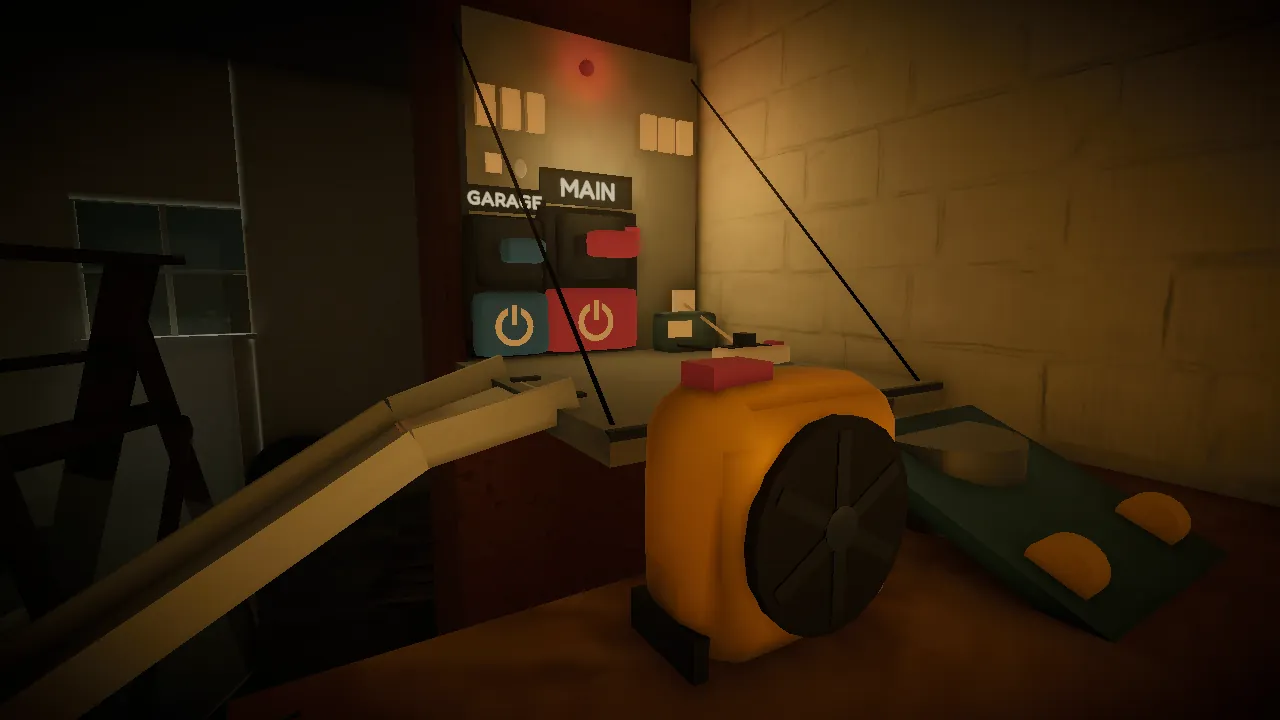
Spoiler for Level 3: when Watt finally rams the MAIN switch, the lights come on, then a drip from the roof lands in a socket strip and the power trips again. You can switch the garage circuit off to get the house lit, and the results card says the garage's wet plugs are cut, not fixed. Or you can push the socket strip out from under the drip and switch MAIN back on, and the card reads "Fixed it properly!" Fixing the cause versus switching off the problem is a good thing to talk over afterward.
Every level is also a budget. The battery starts at 60%; driving, headlights and boosts cost charge, and standing still with the lights off is free. Our post on games that teach kids to plan ahead looks at that side. While playing, a child plans how to spend the battery, watches cause and effect, tries an idea and adjusts it, and finds a way without hints.
Last Charge is rated 9+ on the App Store, and we wouldn't suggest it for children under 9: the rooms are dark, there's a storm with lightning flashes, and a robot vacuum called Grumble charges at Watt's headlights, though there's no blood, no weapons and no fighting. It's single player, with no chat, no account of its own and nothing to buy, and it's free to play. On Android, Last Charge has 10 achievements and a best-time leaderboard for every level on Google Play Games. See how Last Charge plays on the game page.
How do I choose a STEM game for my child?
Start from what your child already likes doing, whether that's building, drawing, numbers or taking things apart. Then check the store page for the age rating and its descriptors, the price model, any online play or community, and when the app was last updated. Play the first level together before you decide.
- Read the rating on the store your child uses. Apple marks each descriptor "Infrequent" or "Frequent"; Google Play lists them under the rating.
- Check how it's paid for: one price, free with ads and purchases, or a subscription that starts with a free trial.
- Look for social features, such as Scratch's community or online play, and set them up with your child.
- Ask your child to explain what they built or wrote, and how they'd change it.
For puzzle games sorted by age and the kind of thinking they ask for, see puzzle games for kids that build problem-solving skills.
All the STEM games at a glance
| Game | Area | Developer | App Store | Google Play | How you pay |
|---|---|---|---|---|---|
| Swift Playground | Coding | Apple | 4+ (iPad and Mac) | Not on Android | Free |
| Scratch | Coding | Scratch Foundation | No app; web browser | Everyone (tablets, Chromebooks) | Free |
| ScratchJr | Coding, ages 5 to 7 | Scratch Foundation | 4+ (Kids, ages 6 to 8) | Everyone | Free |
| Lightbot: Programming Puzzles | Coding | SpriteBox | 4+ (Kids, ages 9 to 11) | Not available | One-time purchase |
| Human Resource Machine | Coding | Tomorrow Corporation | 9+ | Everyone 10+ | One-time purchase |
| 7 Billion Humans | Coding | Tomorrow Corporation | 9+ | Everyone | One-time purchase |
| Poly Bridge 3 | Engineering | Dry Cactus | 4+ | Everyone | Free to try, one unlock (App Store); one-time purchase (Google Play) |
| Mekorama | Engineering | Fancade | 4+ | Everyone | Free, with ads and purchases |
| DragonBox apps (Kahoot!) | Math | Kahoot ASA | 4+ | Everyone | Free download; subscription for full access |
| Euclidea | Math (geometry) | Horis International | 4+ | Everyone | Free, optional purchase |
| Tinybop science apps | Science | Tinybop | 4+ (Kids, ages 6 to 8) | Everyone; Space is Everyone 10+ | One-time purchase |
Last Charge (ours, rated 9+ on the App Store) isn't in the table; the section above covers it.
Frequently asked questions
What are good educational games for 10-year-olds?
For a 10-year-old who likes puzzles, try Lightbot or Human Resource Machine for coding, Poly Bridge 3 for engineering and DragonBox Geometry for math. On an iPad, Swift Playground is free. Check each store page first: Human Resource Machine is rated 9+ on the App Store, Lightbot is iPhone and iPad only, and the DragonBox apps need a subscription for full access.
What is the best free coding app for kids?
Swift Playground, from Apple, is free on iPad and Mac and suits beginners from about 8. Scratch is free for ages 8 to 16 in a web browser, with an app for Android tablets and Chromebooks. ScratchJr is free for ages 5 to 7 on both stores. Lightbot: Code Hour is a free 20-level taster on the App Store.
Do coding games make kids better at math?
Possibly a little. A 2019 meta-analysis of 105 studies, mostly of school students, linked learning to program with gains in math, creative thinking and reasoning. The effect shrank to about a quarter when the comparison group had another lesson instead of nothing, and school achievement gained least. It doesn't show that any one app will lift a child's math grade.
Is Last Charge a STEM game?
No. Last Charge, which we make, is a story-driven 3D physics puzzle game rated 9+ on the App Store, not a STEM course, and we don't claim it teaches a school subject. While playing, a child plans how to spend the battery, watches cause and effect, tries an idea and adjusts it, and finds a way without hints.
What does Teacher Approved mean on Google Play?
It means teachers and children's education and media specialists rated the app for Google Play on design, appeal, enrichment, age appropriateness, and how it handles ads, purchases and cross-promotion. Approved apps can appear on the Kids tab. It's a rating of quality and suitability, not a measure of what children learn from the app.
Sources
- Journal of Educational Psychology: Scherer, Siddiq & Sánchez Viveros (2019), The cognitive benefits of learning computer programming: a meta-analysis of transfer effects
- Review of Educational Research: Clark, Tanner-Smith & Killingsworth (2016), Digital games, design, and learning (PubMed Central)
- Association for Psychological Science: Hirsh-Pasek et al. (2015), Putting education in "educational" apps
- Apple Developer: Kids category age bands and parental gates
- Google Play Console: the Teacher Approved program
- App Store: Swift Playground for iPad (Apple)
- Mac App Store: Swift Playground (Apple)
- Scratch: For parents (ages, community and moderation)
- Scratch: Download the Scratch app
- Google Play: Scratch (Scratch Foundation)
- App Store: ScratchJr (Scratch Foundation)
- Google Play: ScratchJr (Scratch Foundation)
- App Store: Lightbot: Programming Puzzles (SpriteBox)
- App Store: Lightbot: Code Hour (SpriteBox)
- Lightbot official site
- App Store: Human Resource Machine
- Google Play: Human Resource Machine (Tomorrow Corporation)
- App Store: 7 Billion Humans
- Google Play: 7 Billion Humans (Tomorrow Corporation)
- App Store: Poly Bridge 3 (Dry Cactus)
- Google Play: Poly Bridge 3 (Dry Cactus)
- App Store: Mekorama (Fancade)
- Google Play: Mekorama (Fancade)
- App Store: Kahoot! Algebra by DragonBox
- Google Play: Kahoot! Algebra by DragonBox
- App Store: Kahoot! Algebra 2 by DragonBox
- Google Play: Kahoot! Algebra 2 by DragonBox
- App Store: Kahoot! Geometry by DragonBox
- Google Play: Kahoot! Geometry by DragonBox
- App Store: Euclidea (Horis International)
- Google Play: Euclidea (Horis International)
- App Store: Simple Machines by Tinybop
- Google Play: Simple Machines by Tinybop
- App Store: The Human Body by Tinybop
- Google Play: The Human Body by Tinybop
- App Store: Space by Tinybop
- Google Play: Space by Tinybop