 Last Charge
For parents
How to play video games with your child without giving away the answer
Co-playing a puzzle game is mostly about what you don't say. Ask to join, let your child keep the phone, and swap answers for questions.
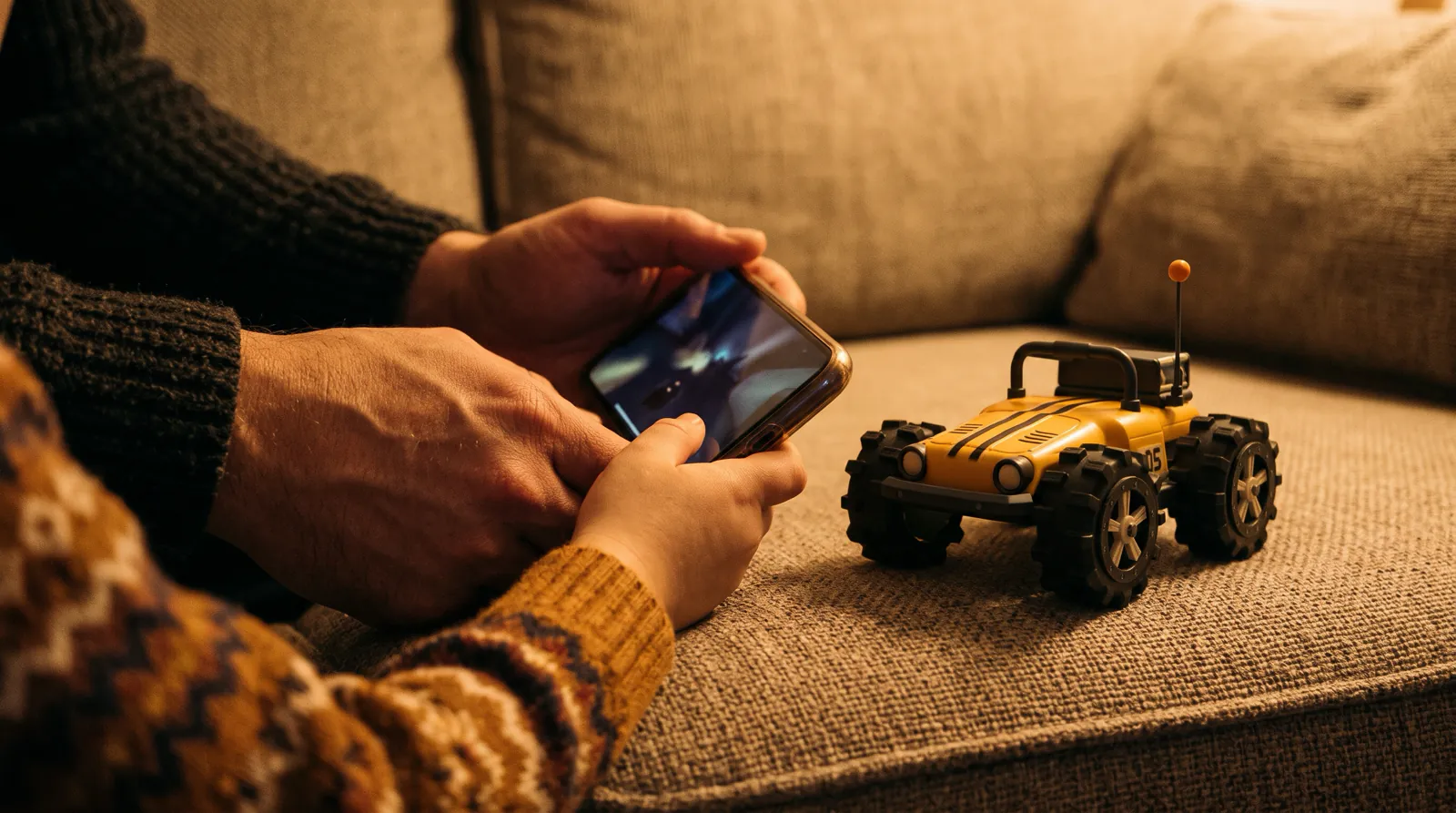
To play a video game with your child, ask to join, let them keep the phone, and ask questions instead of handing out answers. The American Academy of Pediatrics calls this co-playing, and its advice includes asking permission, following your child's interests and asking questions that can't be answered with a yes or a no.
Puzzle games make this harder than most, because the best moment in a puzzle is the one where your child works it out, and one helpful sentence from you can take that moment away. The examples below come from Last Charge, the toy car physics puzzle game by Secundum Reality. We make it, so we know what's in every room. The advice works with any puzzle game.
Why play video games with your child?
Playing alongside your child shows you what they enjoy and gives you something easy to talk about. The American Academy of Pediatrics recommends co-viewing and co-playing as a way to share your child's media in a context of trust, and says it isn't the same as policing. Most of the research behind the idea involves younger children.
The AAP's parent site, HealthyChildren.org, has a short guide on this by pediatrician Megan Moreno, written for the Academy's Council on Communications and Media. It describes co-playing as adults spending time with children in the apps and games they like, lists gaming sessions among the things you can ask to join, and suggests writing shared play into a family media plan. That's guidance from pediatricians. It doesn't report a study of its own.
The research comes from further back. In 2011 the Joan Ganz Cooney Center at Sesame Workshop and the LIFE Center published The New Coviewing, by Lori Takeuchi and Reed Stevens, which calls people using media together "joint media engagement" and reviews what was known about it. A few findings it collects:
- Studies from the 1970s and 1980s found that preschoolers understood more of Sesame Street when an adult watched with them.
- Observational studies of siblings and friends playing video games at home found them setting up little lessons for each other as they played, and sharing what they knew.
- Parents who played games themselves, or thought well of them, tended to play with their children rather than only restrict play.
The evidence has limits. The report calls the research on newer media small but growing, the clearest coviewing results come from young children watching television, and none of it shows that playing a puzzle game with your 10-year-old will raise their school results. Co-playing still has clear uses: you learn what your child likes, you have something to talk about, and you get to watch how they work a problem out. For what research says about puzzle games themselves, see are puzzle games good for kids.
How do you join your child's game without taking over?
Ask first, then let your child keep the phone. The AAP suggests asking permission to join, especially with school-age children, and showing friendly curiosity about what they chose. The Cooney Center's design guide says shared play goes best when people focus on the game, with few "Don't touch!" moments and little jostling over the controls.
- Ask to join. Older children are used to playing alone, and the AAP guide suggests asking with something light, along the lines of "That looks fun. Mind if I join you for a bit?"
- Let your child hold the device and decide where to start. The New Coviewing points out that around games the usual roles can flip, with the child as the expert, and says it helps when adults step out of the teacher's role and let the child lead.
- Watch before you talk. The AAP guide recommends plenty of quiet pauses and paying attention to your child's face and body language while they play.
- Ask your child to explain the rules. In Last Charge that might be what drains Watt's battery and what doesn't, and it puts your child in the role of the one who knows.
- Agree on how help works before anyone is stuck. For example: you only ask questions, unless they ask you for a hint.
Tip
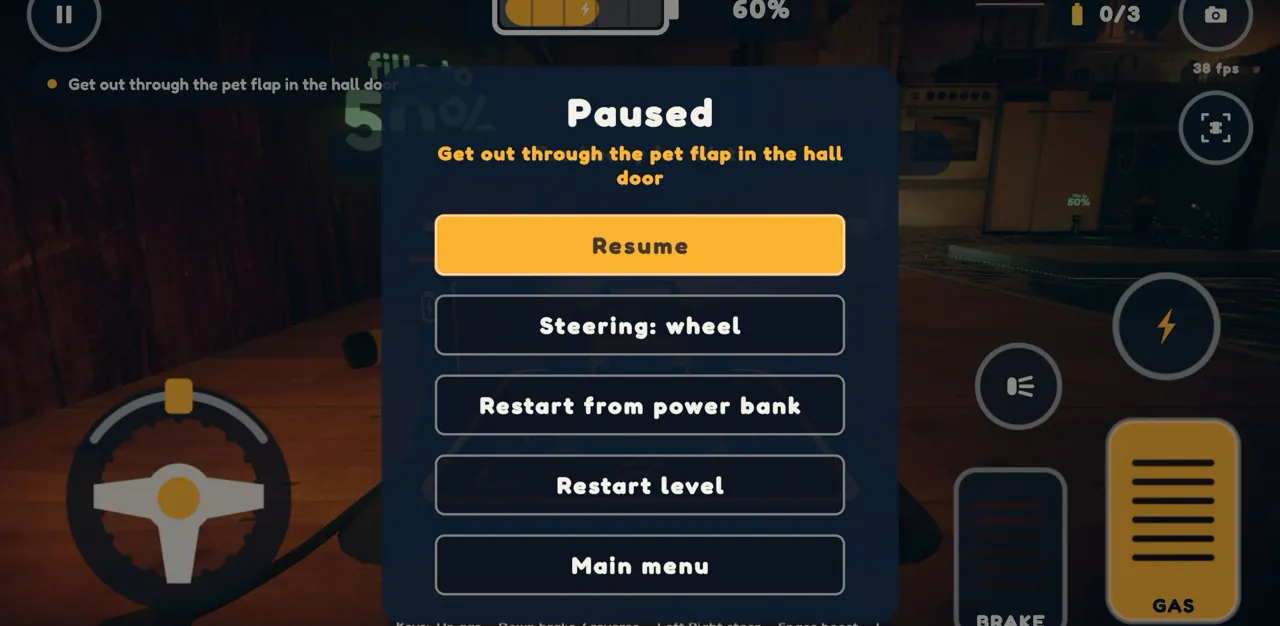
In Last Charge you can steer with an on-screen wheel, a slider, left and right buttons, or by tilting the phone, chosen in Settings or from the pause menu. Let your child pick, since their hands are on the phone.
What questions should you ask kids about the games they play?
Ask open questions about what your child can see and what they plan to do: what the game wants, what might move, what just happened and what they'll try next. The AAP suggests skipping yes-or-no questions for prompts like "How did you pick this game?" In a puzzle game, a question leaves the answer for your child to find.
| When | Ask | In Last Charge |
|---|---|---|
| At the start | What is this level asking you to do? | Each level shows one goal line, such as "Get out through the pet flap in the hall door". |
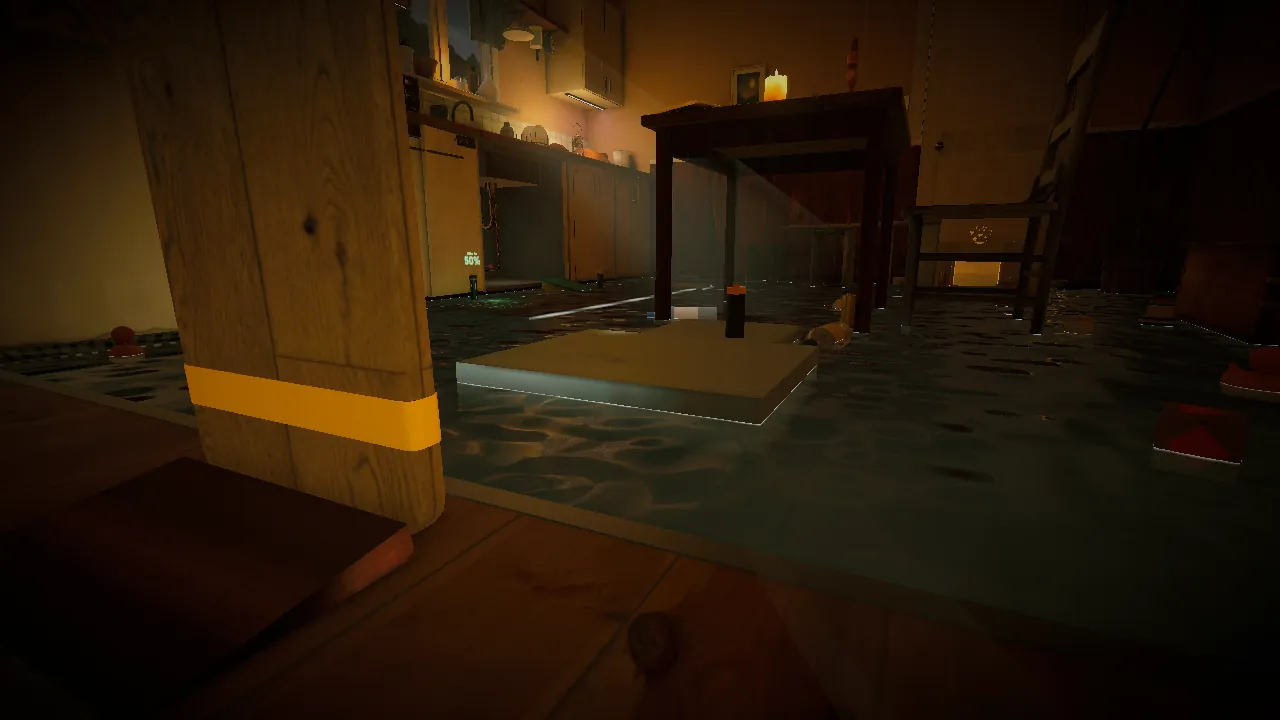
| Looking around | What can you see that might move? | The flooded kitchen has a chopping board standing on its edge, a storage box and a floating lid. |
| After a try | What happened just then? | The camera turns to show what your action did. A ram that's too slow gets "Too gentle". |
| Spotting a rule | What made it react? | Grumble, the robot vacuum in the living room, notices Watt's headlights, never the car itself. |
| Before the next try | What's your plan, and what will it cost? | Driving, headlights and boosts use charge. Standing still with the lights off is free. |
| When nothing works | What haven't you tried yet? | The answer uses something in the room, and the game never points at it. |
Aim your questions at what's on screen. "What could you use to get across?" leaves the thinking to your child. "Have you tried the board?" does the thinking for them and asks them to agree.
Talking a plan through is worth doing for its own sake. The Harvard Center on the Developing Child's guide to building planning and self-control skills says children need practice talking about what they're doing and why, thinking about next steps and judging how a decision worked out. Its authors are careful to add that the activities in the guide reflect experts' judgment and haven't all been proven in studies.
How do you help a child who is stuck on a game?
Offer the smallest help first and add more only if it's needed: wait, ask a question, suggest stopping to look, ask for the plan out loud, take turns, and only then read one step of a walkthrough together. That way the solution stays your child's. If frustration is building, stop for the day; the level will still be there.
- Wait a little longer than feels comfortable. Children often try something new on their own once the first idea fails.
- Ask instead of telling, using the questions above.
- Suggest stopping to look. In Last Charge, standing still with the headlights off costs no battery and there is no level timer, so "let's stop and look around" is free. Dragging the camera and switching to the top view cost nothing either.
- Ask for the plan before the next try: "Tell me what you're going to do." Saying it out loud often shows where it breaks.
- Take turns. A single-player game still shares well if you pass the phone after each try. Ask before you take a turn, play your own idea, and leave the answer you've worked out for your child to find.
- Start the try again cleanly. Last Charge's pause menu has Restart from power bank, which puts Watt back at the last checkpoint without replaying the whole level.
- Read one step of a walkthrough together, then close it. Our Last Charge Level 1 walkthrough covers the flooded kitchen, with a spoiler warning at the top.
That order follows a pattern the Harvard guide describes for building these skills: adults first help children through challenging tasks, then step back bit by bit as the child is ready, which leaves room for them to learn from their own mistakes.
Know when to stop. Some signs it's time: the same failed move again and again, a bit faster each time; jabbing at the screen; asking you to just do it. A break is a perfectly good answer. Our post on why getting stuck in a puzzle game can be good for your child covers telling useful struggle from the kind that just hurts.
A made-up example: helping in the flooded kitchen
Mild spoiler
This uses the opening of Level 1 of Last Charge. The conversation is invented to show the technique. It isn't a record of a real child.
Say your child is on the dry dining step in the kitchen, Level 1 (High Tide), and has driven Watt into the flood water twice. Both times the screen said "Shorted out in the water" and Watt woke up on its charging dock. Here is one way the next minute could go.
You: What does the goal say again?
Your child: Get out through the pet flap in the hall door. But it's all water.
You: Which bits aren't water?
Your child: This step. There's a box sticking out of the water. And a board standing up at the edge.
You: What could you do with any of those?
Your child: I don't know. Drive on the box? It's too far.
You: What happens to things in this game when Watt drives into them?
Your child: Some of them fall over. Oh. Wait.
The adult never says "knock the board over". The board, the box and the water are all on screen, and each question points at something your child can already see, a little more narrowly each time.
The same idea works later in the room. Suppose your child reaches the red valve under the sink, rams it, and the screen says "Too gentle". "What do you think 'too gentle' means?" is usually all it takes. If the next question is "How could Watt hit it harder?", your child still gets to find the boost button on their own.
This works because Last Charge gives no hints. Each level states one goal, once, and the game answers a try in a few words, so a parent's questions end up doing the job a hint button would. The reasons it's built that way are in why Last Charge never tells you what to do.
Playing Last Charge together: what to know first
Last Charge is a story-driven 3D physics puzzle game for Android and iPhone, made by Secundum Reality. Your child drives Watt, a small yellow toy RC car, through a dark house during a storm, trying to get the power back on. There are four levels so far: the kitchen, the living room, the garage and the garden.
- It's rated 9+ on the App Store, and we don't suggest it for children under 9.
- It's spooky but not gory. The rooms are dark, there's a storm outside and lightning flashes now and then; no setting turns the flashes off. There's no blood, no weapons and no fighting.
- It's single player, in English, with no chat and no account. It's free to play, with nothing to buy.
- Getting caught or falling just sends Watt back to the last power bank after a quick fade. There are no lives to lose.
Last Charge is a puzzle game, not a school program. What your child practices while playing is planning with the battery budget, watching cause and effect, trying an idea and adjusting it, and finding a way through without hints. Those are also the moments where your questions fit.
The how to play section of the Last Charge game page explains the controls and the battery, and our Last Charge parents' guide covers the content and settings in more detail.
Frequently asked questions
Should parents play video games with their kids?
The American Academy of Pediatrics says it's a good habit. Its HealthyChildren.org guide recommends co-viewing and co-playing so you learn what your child enjoys and can talk about it, and it says joining a game is different from policing it. Ask permission first, especially with school-age children, and let them lead. Research on families using media together is encouraging, though most of it involves younger children.
What should I say when my child is stuck on a level?
Start with a question rather than the answer. Ask what the level wants, what they can see that might move, and what happened on the last try. If that doesn't help, suggest stopping to look around, then ask them to say their plan out loud before the next attempt. Save the walkthrough for last, and read one step together before closing it, so most of the puzzle stays theirs.
Is it cheating to use a walkthrough with my child?
No. A walkthrough is a tool, and using one together is better than your child giving up on a game for good. Try the smaller steps first, then read a single step and close the guide. For Last Charge, the Level 1 walkthrough starts with a spoiler warning and lists every step in order, so you can choose exactly how much to read.
Can two people play Last Charge at the same time?
No. Last Charge is a single-player game for Android and iPhone, with no chat and no account. You can still play it together: one of you drives while the other watches and asks questions, and you swap after each try. Standing still with the headlights off costs Watt no battery and there's no level timer, so stopping to talk a plan through costs nothing.
What age is Last Charge for?
Last Charge is rated 9+ on the App Store, and we don't suggest it for children under 9. It's spooky but not gory: the rooms are dark, there's a storm outside, lightning flashes now and then, and a robot vacuum called Grumble patrols the living room. There's no blood, no weapons and no fighting. Our parents' guide has the details.
Sources
- HealthyChildren.org (American Academy of Pediatrics): Why Co-Viewing Is Important: Tips to Share Screen Time With Your Kids
- Joan Ganz Cooney Center: The New Coviewing: Designing for Learning through Joint Media Engagement (Takeuchi and Stevens, 2011)
- The New Coviewing, full report (PDF)
- Harvard Center on the Developing Child: Enhancing and Practicing Executive Function Skills with Children from Infancy to Adolescence (PDF)